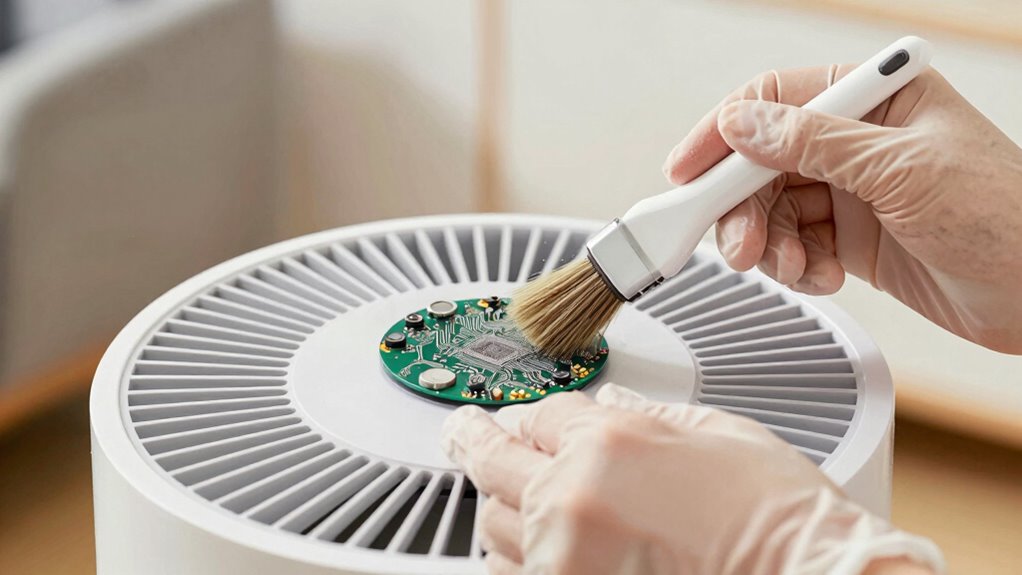

To clean your air purifier’s sensor without breaking it, first power off and unplug the device. Use a vacuum with a soft brush attachment to gently remove dust. For wet cleaning, dampen a cotton swab with water—avoid excess moisture—and lightly wipe the sensor lens. Immediately dry it with the other end of the swab. Reattach the sensor cover, plug in the purifier, and check its response. There’s more to keeping your air quality in check, so keep exploring!
Key Takeaways
- Power off and unplug the air purifier before cleaning to ensure safety and prevent damage.
- Use a vacuum with a soft brush attachment to gently remove dust from the sensor and surrounding areas.
- Dampen a cotton swab with water to clean the sensor lens, ensuring it’s only slightly moist to avoid water damage.
- Reattach the sensor cover securely after cleaning and check for proper sensor function post-maintenance.
- Clean the sensor every two months or as needed to maintain optimal air purifier performance.

Maintaining your air purifier is essential for ensuring it operates effectively and keeps your indoor air quality high. One crucial aspect of this maintenance is cleaning the sensor, which requires some preparation and care. First, always power off and unplug your air purifier before starting any cleaning process. This step is vital as it ensures safety and prevents electrical damage, allowing you access to the sensor cover and internal components without worry.
To begin, locate the sensor cover on your specific model. For example, the AirDoctor’s sensor is typically found on models like the 1000 or 3000, while the Blueair DustMagnet has its sensor below the top filter drawer at the back. Winix ZERO users will find their sensor behind an accessible side panel, and Alen air purifiers require front panel removal. Once you’ve identified the location, gather your cleaning tools: a vacuum with a soft brush attachment, cotton swabs, and water. Avoid using sharp objects, as they can scratch the delicate lens surfaces. Additionally, consider incorporating outdoor ovens into your backyard setup for versatile cooking options, which can enhance your overall air quality during gatherings.
Locate your air purifier’s sensor cover and gather cleaning tools like a vacuum and cotton swabs for proper maintenance.
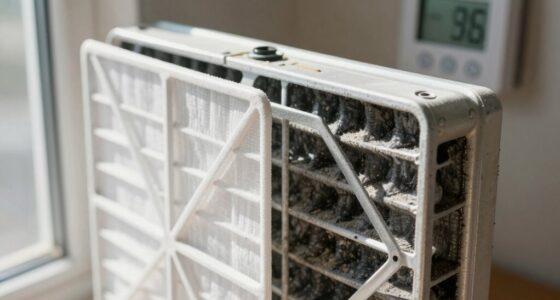
Start with dry cleaning methods. Use the vacuum to gently suction dust from the sensor chamber and the exterior. A soft brush attachment helps remove visible dust without risking damage. If needed, pinch and lift the sensor cover for access, ensuring you don’t apply excessive force. After dry cleaning, you might want to blow away any lingering particles before moving on to wet cleaning. Regular cleaning of the sensor can help prolong filter life and maintain optimal performance.
When it’s time for wet cleaning, dampen one end of a cotton swab with water. Gently wipe the sensor lens to remove any debris, making sure not to use too much moisture. It’s critical to dry the lens immediately with the other end of the swab. Use only a slightly damp swab, avoiding any dripping water near electronics. Remember, chemicals beyond water can damage the sensor, so stick to tested methods.
After cleaning, reattach the sensor cover securely and plug the unit back in. Power it on and check that the sensor responds accurately to air quality changes. If you see a frozen color display, it’s time to clean again. Regular maintenance extends filter life and helps your air purifier perform at its best. Aim to clean the sensor every two months or whenever it shows signs of needing attention. By following these steps, you’ll ensure your air purifier remains a reliable ally in maintaining clean indoor air.
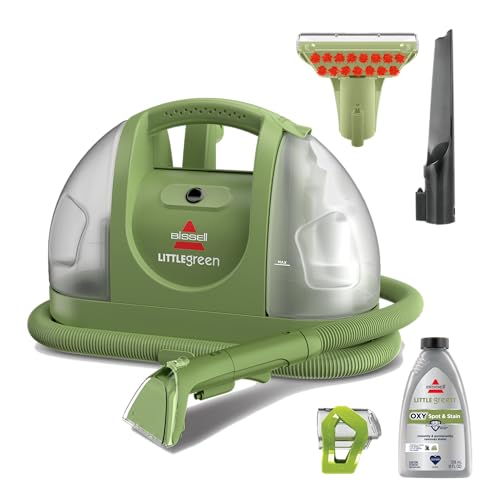
BISSELL Little Green Multi-Purpose Portable Carpet Cleaner, 1400B
- Trusted Brand: America's #1 portable cleaning brand
- Mess Removal: Removes 100+ common stains and messes
- Powerful Cleaning: Triple action formula for stains and odors
As an affiliate, we earn on qualifying purchases.
Frequently Asked Questions
How Often Should I Check the Air Purifier Sensor?
You should check your air purifier sensor every two months or whenever you notice it freezing on one color. Regular maintenance guarantees peak performance and accuracy in air quality readings. If you notice any unusual behavior or color indicators, it’s essential to clean it immediately. Keeping an eye on the sensor helps extend the lifespan of your purifier and maintain a healthy indoor environment for you and your family.
Can I Use Alcohol for Cleaning the Sensor?
You might think about using alcohol for cleaning your air purifier sensor, but it’s best to stick with plain water. Alcohol can potentially harm the sensor or cause unwanted reactions with other components. Instead, dampen a cotton swab with water, gently wipe the lens, and dry it right away. Keeping it simple helps maintain your unit’s performance and extends its life, so you can breathe easier without worries!
What Happens if I Don’t Clean the Sensor?
If you don’t clean the sensor, it can become clogged with dust and debris, leading to inaccurate air quality readings. This means your air purifier may not operate efficiently, affecting your indoor air quality. You might notice the indicator light freezing on one color, signaling a problem. Over time, neglecting the sensor could shorten the lifespan of your unit and require more frequent filter replacements. Regular maintenance is key to keeping it running smoothly.
Is It Safe to Use Compressed Air on the Sensor?
Using compressed air on the sensor’s delicate surface is like wielding a sword in a glass shop—dangerous and risky. It can force debris deeper into the components or even damage the sensor itself. Instead, opt for a gentle vacuum or soft brush to clear dust. Treat your air purifier like a cherished garden; nurture it with care, and it’ll thrive, ensuring the air you breathe remains clean and fresh. Regular maintenance is key!
Can I Clean the Sensor While the Purifier Is Running?
No, you shouldn’t clean the sensor while the purifier’s running. It’s vital to power off and unplug the device first to avoid damaging the sensor or affecting its functionality. Cleaning while it’s operational can lead to inaccurate readings or even electrical issues. So, take a moment to turn it off, and then you can safely proceed with the cleaning process to guarantee essential performance and longevity of your air purifier.

BISSELL Little Green Mini Portable Carpet Cleaner, 4075
- Supports Pet Foundation: Every purchase helps save pets
- Removes Pet Stains: Tackles spills and pet stains
- Allergen Removal: Removes dander, dust, pollen
As an affiliate, we earn on qualifying purchases.
Conclusion
In conclusion, keeping your air purifier’s sensor clean is essential for optimal performance. Just like “a stitch in time saves nine,” a little maintenance now can prevent bigger issues later. Take a moment to follow the steps for cleaning the sensor carefully, ensuring you don’t damage it in the process. By doing so, you’ll enjoy cleaner air and extend the life of your purifier. So, roll up your sleeves and give it the care it deserves!
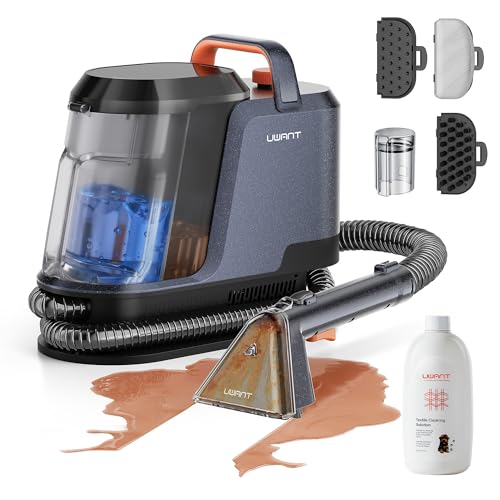
Uwant Carpet Cleaner Machine 18Kpa Portable Carpet Cleaner for Cars Couch, 2in1 Water Tank Upholstery Cleaner, Spot Cleaner with Cleaning Tools Set of 1
- High Suction Power: 18Kpa for deep stain removal
- Efficient Cleaning: 50% faster cleaning with upgraded suction
- Dual Water Tanks: Separate clean and waste water tanks
As an affiliate, we earn on qualifying purchases.

HAUSHOF 12V Cordless Handheld Carpet Cleaner, 6.5KPa Suction
- Cordless, Portable Design: Easy grab-and-go for quick cleanups
- All-in-One Cleaning Functions: Spray, scrub, and suction in one unit
- Powerful Suction: 6.5KPa for tough stain removal
As an affiliate, we earn on qualifying purchases.