
TL;DR

Get cleaning gear delivered free with Prime
- Fast, free delivery on millions of items
- Prime Video, Amazon Music and more included
- Member-only deals all year
Moving your high-power rig into another room or a closet dramatically reduces noise. Proper acoustic treatment and ventilation are essential for a quiet, safe setup. This simple shift beats buying foam or fans alone.
Acoustic dampening
& the rig in the closet.
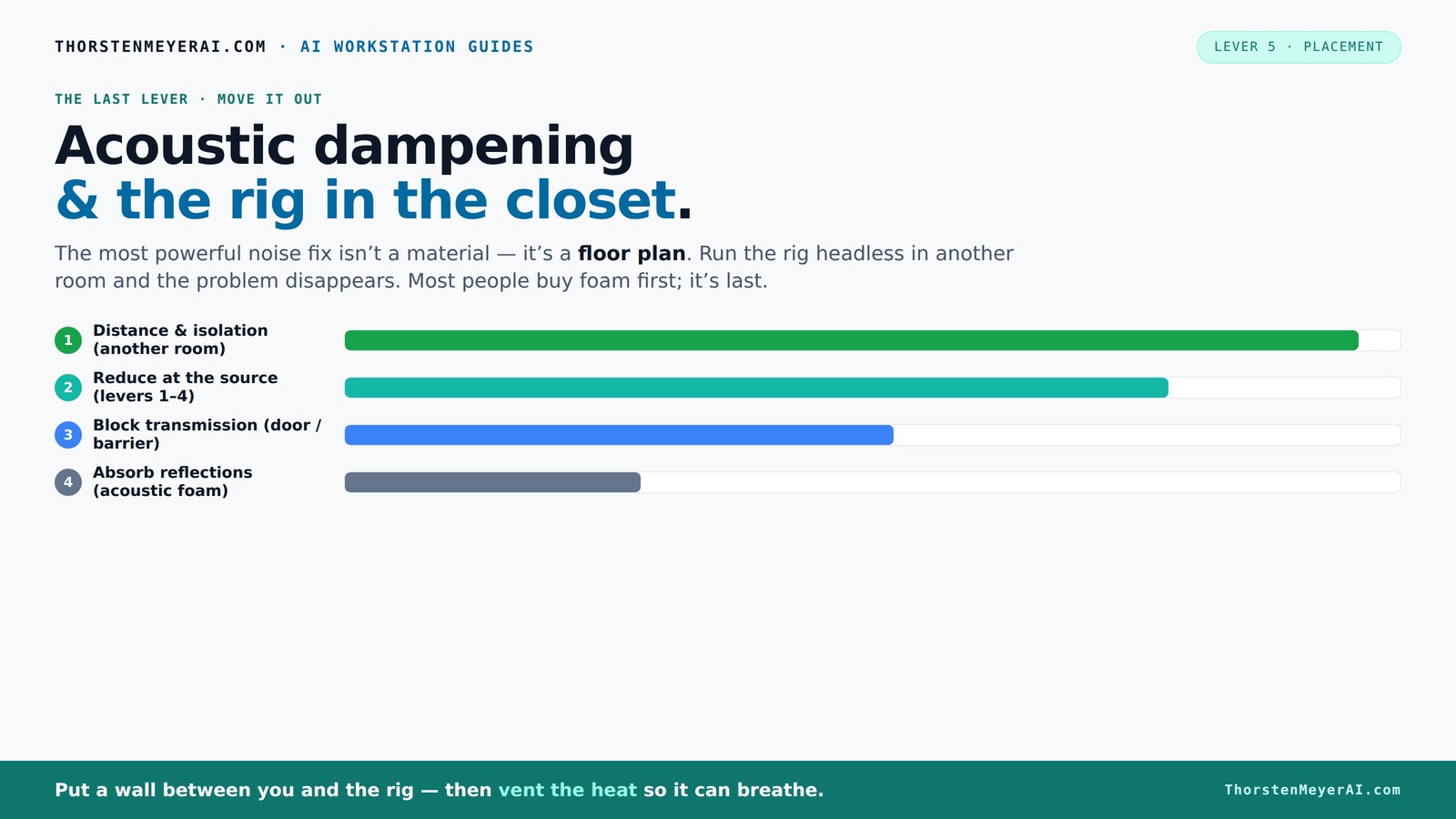
The most powerful noise fix isn’t a material — it’s a floor plan. A rig you can’t hear because it’s in another room beats any amount of foam. Tap the approaches in Part 1 to see what actually works.
(another room)
(levers 1–4)
(door / barrier)
(acoustic foam)
Contain the noise, not the heat
Key Takeaways
- Distance from the noise source reduces sound more than adding foam. Moving your rig to another room can cut noise by up to 90%.
- Proper ventilation is critical when placing a high-power machine in an enclosed space like a closet. Use active cooling and airflow management. You can learn more about reducing heat and noise in an AI workstation.
- Combine soundproofing with acoustic dampening for maximum noise reduction. Sealing gaps and lining walls help contain sound.
- Placement strategies like decoupling the case and avoiding tight corners improve airflow and reduce vibration noise.
- Measuring noise levels helps you fine-tune your setup. Aim for below 40 dB for a quiet workspace.
soundproofing acoustic panels for computer room
As an affiliate, we earn on qualifying purchases.
As an affiliate, we earn on qualifying purchases.
Why Distance and Isolation Crush Noise More Than Foam
Distance is the heavyweight champion of noise reduction. When you move your rig into another room, you cut the sound waves at the source. Foam and acoustic panels are like sunglasses for sound—they soften reflections but don’t stop the noise from escaping.
Imagine your GPU humming at 70 dB. If it's on your desk, that’s like sitting next to a lawnmower. But if you put it in a closet across the hall, the sound drops to almost nothing—sometimes below the threshold of hearing.
Why does this matter? Because the farther the sound source is from you, the less noise you perceive. This isn't just about comfort; it reduces noise pollution in your environment, which can improve concentration and reduce stress. However, moving your rig away isn't without tradeoffs: longer cable runs and potential airflow issues. Proper planning ensures you get the benefits without creating new problems.
According to acoustic experts, moving the source away is the most cost-effective way to make your workspace quieter, with nearly 90% of noise reduction coming from distance alone.
quiet computer case with sound dampening
As an affiliate, we earn on qualifying purchases.
As an affiliate, we earn on qualifying purchases.
How to Set Up a 'Rig in the Closet' Without Cooking Your Hardware
Placing a hot, high-performance rig inside a closet sounds perfect—until it isn’t. The key is ventilation. Without airflow, trapped heat can turn your closet into an oven, throttling your hardware and causing fans to roar.
Why is this so critical? Overheating not only shortens your hardware’s lifespan but can also cause thermal throttling, where your CPU or GPU intentionally slows down to prevent damage. This reduces performance and can lead to instability. The challenge is balancing noise reduction with effective cooling.
Here’s how to do it right:
- Install passive vents or small intake/exhaust fans to circulate air. These create a continuous flow that prevents heat buildup without introducing much noise.
- Use a thermostat-controlled exhaust fan that kicks in when temperatures rise above safe thresholds, ensuring your hardware stays cool without constant fan noise.
- Consider a soundproof cabinet with built-in cooling, which can contain noise while maintaining airflow—these are designed for high-performance components.
- Make sure the closet has enough space around the rig for airflow—don’t cram it in tight, as restricted airflow leads to higher temperatures and noise from fans working harder.
Effective cooling isn't just about preventing overheating; it also minimizes fan noise, which is often the main contributor to ambient sound levels. Regularly monitoring temperatures and adjusting airflow strategies ensures you optimize both silence and hardware longevity. For detailed setup tips, check out this guide on reducing heat and noise in an AI workstation. It walks through effective cooling solutions that won’t turn your closet into a sauna.
computer noise isolation enclosure
As an affiliate, we earn on qualifying purchases.
As an affiliate, we earn on qualifying purchases.
The Difference Between Soundproofing and Acoustic Dampening — Why Both Matter
Sound travels in two ways: through the air and through solids. Acoustic dampening, like foam panels, reduces echoes and reflections inside a room but doesn’t block sound passing through walls. Soundproofing, on the other hand, stops noise from leaking out or in.
Why does this distinction matter? Because understanding the difference helps you target your efforts effectively. Acoustic dampening inside the closet makes the environment more controlled, reducing internal echoes that can amplify noise. Soundproofing materials, like mass-loaded vinyl or weatherstripping, act as barriers to prevent sound from escaping or entering, which is especially important if your rig is in a shared space or apartment.
Think of it like a busy street: foam softens the noise inside your car, but a brick wall keeps the street noise outside. Combining both techniques—lining the inside with foam to control reflections and sealing gaps to block sound transmission—creates a comprehensive noise reduction strategy. This dual approach ensures your setup is quieter internally and less disruptive externally, balancing comfort and consideration for others.
As an affiliate, we earn on qualifying purchases.
Placement Tips for the Quietest, Coolest Rig
Where you put your rig matters. Besides the closet, consider these placement tactics, such as proper acoustic dampening and placement.
- Position the case away from walls to improve airflow and reduce vibration transfer, which can cause rattling sounds.
- Use anti-vibration pads or rubber feet to decouple the case from desks or shelves, minimizing structure-borne noise that travels through surfaces.
- Place the rig on a sturdy, insulated surface to dampen vibrations and reduce noise from movement or resonance.
- Keep fans clean and balanced to minimize whine and rattling, as dust buildup can cause imbalance and increase noise.
For example, a friend moved his GPU to a corner of his basement with a dedicated fan duct, cutting noise by over 50% and keeping temps stable even during intense ML training. Proper placement not only reduces noise but also enhances cooling efficiency, as unobstructed airflow allows fans to operate at lower speeds.
How to Measure and Fine-Tune Your Noise Levels
Knowing your noise baseline helps you target solutions effectively. Use a simple sound level meter app on your phone to measure decibels at your workspace. Aim for below 40 dB—about the noise level of a quiet library. This benchmark helps you understand how loud your setup truly is and guides your optimization efforts. For more tips, visit Tiny House 43.
Adjust your setup accordingly: increase ventilation, add damping panels, or move the rig further away. Re-measure after each change to track progress. Fine-tuning might involve balancing airflow and damping to achieve the lowest possible noise without risking overheating. For more insights, visit Best Small Wood Stoves.in an environment that’s as quiet as practical while keeping your hardware safe.
Remember: even with the best setup, some noise might sneak through. Regularly monitoring helps you tweak for maximum silence and safety.
The Bottom Line: Silence Comes From Smart Moves, Not Just Foam
Foam and damping panels help, but they’re not magic. The real game-changer is where you put your rig. Moving it into a closet or another room cuts noise more effectively than any foam can.
Pair that with proper ventilation and sealing, and you get a setup that’s both quiet and safe. It’s simple, cost-effective, and often overlooked.
Why does this approach matter? Because investing in placement and airflow management provides a more sustainable and scalable solution. It reduces reliance on costly acoustic treatments, minimizes ongoing maintenance, and offers a clear path to a quieter, more comfortable workspace. Ultimately, understanding the tradeoffs—such as potential heat buildup versus noise reduction—is key to designing a safe, effective setup tailored to your needs.
So, next time your workstation sounds like a jet engine, ask yourself: can I just put it somewhere else?
Frequently Asked Questions
Can I really turn my closet into a silent, cool workspace?
Yes. With proper ventilation, acoustic treatment, and careful placement, a closet can become a surprisingly effective and quiet environment for your high-performance rig.What’s the best way to ventilate a closet rig?
Use a combination of passive vents and a thermostat-controlled exhaust fan. Ensure hot air can escape and cooler air can enter—this keeps temperatures safe while reducing noise.Will moving my rig into a closet affect its performance?
Only if you trap heat. Proper airflow and cooling solutions prevent thermal throttling and keep your hardware running at peak efficiency.How much does acoustic treatment help in small spaces?
It softens reflections and reduces echo, making the sound clearer. But for big noise reductions, placement and isolation are far more effective.Are there safety risks in putting a computer in a closet?
Yes. Overheating is the main concern. Always ensure adequate ventilation and monitor temps regularly to keep your equipment safe.Conclusion
The smartest move isn’t just adding foam—it’s moving your rig out of your workspace altogether. A closet, with proper ventilation, can keep your noise levels almost off the radar. Think of your setup as a silent partner that works hard without disturbing your peace. Are you ready to give your workspace a noise makeover?Fall Picks
fall essentials
As an affiliate, we earn on qualifying purchases.