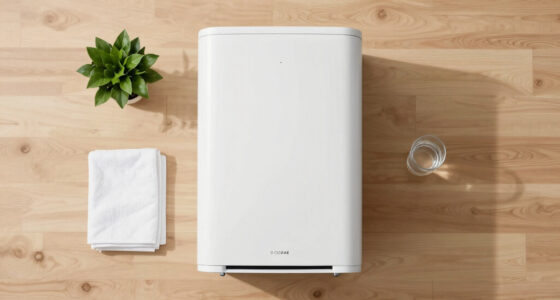
The CADR trap can mislead you into thinking air purifiers perform best at maximum values on the box. In reality, fan speed plays a vital role in achieving effective air purification in your home. Higher fan speeds boost airflow and CADR but add noise and energy costs. Remember, actual performance depends on your room layout and filter condition too. If you want to uncover more about optimizing your air purifier’s efficiency, there’s plenty more to explore.

Get cleaning gear delivered free with Prime
- Fast, free delivery on millions of items
- Prime Video, Amazon Music and more included
- Member-only deals all year
Key Takeaways
- CADR values are based on peak performance tests, not typical home conditions, making real-world effectiveness variable.
- Higher fan speeds increase CADR, but also lead to more noise and energy use, impacting daily usability.
- Room layout and obstructions can significantly lower effective CADR, making fan speed critical to actual performance.
- Filter clogging over time reduces airflow and CADR, emphasizing the importance of maintaining clean filters.
- Different pollutants require varying filter efficiencies, so understanding fan speed and airflow is essential for optimal air purification.

How do you truly gauge the effectiveness of an air purifier? You might think that checking the Clean Air Delivery Rate (CADR) is enough, but that’s where things can get tricky. CADR measures the volume of clean air delivered per minute for specific pollutants—smoke, pollen, and dust—expressed in CFM or m³/h. However, remember that this measurement reflects peak performance, not what you’ll typically experience in your home. It’s derived from standardized tests using maximum fan speeds in controlled environments, which don’t necessarily mirror your everyday settings.
Gauging air purifier effectiveness goes beyond CADR; peak performance doesn’t equal everyday results in your home.
The relationship between CADR, airflow, and filter efficiency is essential. CADR is calculated as airflow multiplied by particle-capture efficiency. So, if you crank up the fan speed, you’ll increase airflow and, consequently, CADR. But here’s the catch: while higher fan speeds can boost CADR markedly, they also generate more noise and consume more energy. You might find yourself caught in a balancing act—choosing between a quieter, more energy-efficient setting and achieving the maximum CADR that those marketing claims promise. Higher CADR ensures quicker, more efficient air cleaning, making it crucial to find the right balance for your needs. Additionally, high refresh rates in gaming projectors enhance the overall experience, which parallels the importance of maximizing performance in air purifiers.
It’s essential to note that CADR values provided by manufacturers often come from specific test conditions, meaning they might not reflect real-world performance. If your air purifier sits in a corner, obstructed by furniture, or if you use it on a low-speed setting, the effective CADR drops. Plus, as filters get clogged with particles, airflow and CADR decrease further. You can’t ignore how room layout and environmental factors can complicate the actual performance of your air purifier.
Another common pitfall is assuming that all CADR values are created equal. Each type of pollutant has its unique particle size and behavior; smoke, for instance, is much smaller than dust. Thus, what works for one pollutant might not work for another. If you primarily aim to capture fine particles like smoke, having a high MERV filter is vital, but it may also decrease airflow, impacting CADR negatively if the fan can’t keep up.
In the end, understanding the CADR trap means recognizing that the advertised figures don’t tell the full story. Prioritize airflow and fan speed, and verify CADR claims with independent tests when possible. Make sure your chosen unit suits your specific needs and living space, rather than blindly trusting what’s on the box.
Frequently Asked Questions
How Do I Choose the Right CADR for My Room Size?
To select the appropriate CADR for your room size, calculate the necessary CADR by multiplying your room’s volume by the desired air changes per hour (ACH) and dividing by 60. Make certain the quoted CADR matches the particle type you’re concerned about. Look for purifiers with high-efficiency filters that maintain airflow. Finally, consider your acceptable noise level and energy use, as higher CADR often comes with increased sound and power consumption.
What Is the Difference Between CADR and CFM Ratings?
CADR (Clean Air Delivery Rate) measures the volume of clean air delivered per minute, while CFM (Cubic Feet per Minute) simply indicates airflow. CADR considers both airflow and filter efficiency for specific particle types like smoke, pollen, and dust, giving a more accurate representation of air purifier effectiveness. So, while CFM shows how much air moves, CADR reveals how much of that air is actually clean, making it a better performance metric.
How Often Should I Replace My Air Purifier Filter?
You should replace your air purifier filter every 6 to 12 months, depending on usage and the type of filter. If you use your purifier frequently or have pets, consider changing it every 3 to 6 months. Always check the manufacturer’s recommendations and keep an eye on the filter’s condition. A clogged filter reduces effectiveness, so regular maintenance guarantees ideal air quality and performance in your home.
Can CADR Be Affected by Room Layout or Furniture Placement?
Imagine your air purifier as a brave knight battling dust and allergens in your room’s kingdom. However, if furniture forms a fortress blocking airflow, the knight struggles to conquer effectively. Yes, your room layout can affect CADR. When you arrange furniture thoughtfully, allowing for better air circulation, you empower your purifier to deliver cleaner air. Keep pathways clear, and your knight will fight valiantly, ensuring you breathe easier and healthier.
Is a Higher CADR Always Better for Air Purifiers?
A higher CADR isn’t always better for air purifiers. While it indicates more clean air delivery, you need to reflect on factors like room size, layout, and filter efficiency. If the purifier’s CADR exceeds your room’s needs, it might not effectively circulate clean air. Additionally, higher CADR often means louder operation and increased energy use. Choose a purifier that balances CADR with your specific space and personal preferences for noise and energy consumption.
Conclusion
When it comes to air purifiers, don’t judge a book by its cover. While CADR ratings can be tempting, you’ll find that fan speed plays a vital role in actual performance. A higher fan speed can considerably enhance airflow and filtration, ensuring cleaner air in your space. So, before you make your choice, remember that what’s inside matters just as much—if not more—than what’s claimed on the box. Breathe easy by choosing wisely!
Halloween Picks
halloween
As an affiliate, we earn on qualifying purchases.