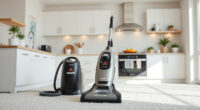
If your Roborock Q7 M5+ Robot Vacuum and Mop isn’t connecting to WiFi, it can disrupt your cleaning schedule and cause frustration. Fortunately, most connectivity issues are fixable with some simple troubleshooting steps. This guide will walk you through common causes and precise solutions to help restore your robot’s WiFi connection quickly and safely.
Before starting, ensure your WiFi network is operational and your phone is connected. Having your WiFi password handy can also speed up the process.
Key Takeaways
| Common causes | Network interference, incorrect WiFi password, outdated firmware |
| Basic troubleshooting | Restart your router, reset the robot’s WiFi settings |
| Advanced fixes | Update app firmware, check WiFi band compatibility |
| Prevention tips | Ensure strong WiFi signal, keep firmware updated |

roborock Q7 M5+ Robot Vacuum and Mop, Upgraded from Q5 Max+, Up to 7-9 Weeks Self-Empty, 10000Pa Suction, Dual Anti-Tangle System for Pet Hair & Carpet, PreciSense LiDAR Navigation, App Control, Black
𝗨𝗽 𝘁𝗼 𝟳-𝟵 𝗪𝗲𝗲𝗸𝘀 𝗛𝗮𝗻𝗱𝘀 𝗙𝗿𝗲𝗲 𝗖𝗹𝗲𝗮𝗻𝗶𝗻𝗴: With a 2.7L sealed dust bag, the RockDock Plus efficiently collects...
As an affiliate, we earn on qualifying purchases.
Check Your WiFi Network
- Ensure your WiFi is working with other devices. If not, restart your router.
- Verify your WiFi is 2.4GHz, as Roborock devices typically do not support 5GHz networks.
- Move your robot closer to the router to improve signal strength.

4 Pack Washable Filter For Roborock Q5 Pro/Pro+(Plus)/ Max+(Plus)/ DuoRoller+, Q7/ Q7+, Q7 Max/Max+, Q8 Max/Max+ Robot Vacuum Cleaner Accessories Replacement Part True HEPA Filter For Robotic
Compatible Models: The True HEPA washable filter replacement parts are compatible with Roborock Q7, Q7+(Plus), Q7 Max, Q7...
As an affiliate, we earn on qualifying purchases.
Reset Robot WiFi Settings
- Open the Roborock app and navigate to your robot’s settings.
- Select ‘WiFi’ or ‘Network,’ then choose ‘Forget’ or ‘Reset WiFi.’
- Follow the prompts to restart the WiFi setup process.
Reconfigure WiFi Connection
- Ensure your phone is connected to the same WiFi network you want your robot to connect to.
- Open the Roborock app, select your robot, then choose ‘Add device’ or ‘Reconnect.’
- Input your WiFi password carefully, double-checking for typos.
Update Firmware & App
- Check for app updates in your app store and install any available updates.
- Within the Roborock app, go to device settings and verify if there’s a firmware update for your robot. Install if available.
Additional Tips & Warnings
- Avoid using WiFi extenders that might create network issues for your robot.
- If problems persist, reboot your router and robot multiple times.
- Never attempt to reset or repair the device physically without guidance; stick to app options.
The Products in This Guide

roborock Q7 M5+ Robot Vacuum and Mop
- ✔ Model: Q7 M5+
- ✔ Navigation: PreciSense LiDAR
- ✔ Battery Life: Long-lasting

4 Pack Washable Filter
- ✔ Type: HEPA Filter
- ✔ Pack: 4 Pack
- ✔ Compatibility: Multiple Roborock models
roborock Q7 M5+ Robot Vacuum and Mop
The Roborock Q7 M5+ Robot Vacuum and Mop offers powerful suction, advanced navigation with PreciSense LiDAR, and a self-emptying dock for up to 7-9 weeks. Despite WiFi issues, its features make it a top choice for pet owners and busy households.
Pros:
- Powerful 10000Pa suction
- Self-emptying dock
- Dual anti-tangle system
- App control and scheduling
Cons:
- WiFi connectivity can be inconsistent
- Requires stable WiFi for full features
- Setup may be complex for some users
Best for: Pet owners, busy households, those seeking automated cleaning
Not ideal for: Users with unreliable WiFi or who prefer wired setups
Bottom line: A highly capable robot vacuum that excels in cleaning, with some WiFi setup challenges.
4 Pack Washable Filter
This 4-pack washable filter ensures your Roborock Q7 M5+ maintains optimal suction and air quality. Easy to replace and clean, it extends your robot’s lifespan and cleaning efficiency.
Pros:
- Effective HEPA filtration
- Washable and reusable
- Easy to install
- Compatible with multiple models
Cons:
- Requires periodic cleaning
- Not OEM, but high quality
- Replacement needed every few months
Best for: Maintaining optimal filtration and airflow
Not ideal for: Users seeking OEM parts exclusively
Bottom line: A cost-effective solution for keeping your vacuum’s filtration system in top shape.
Frequently Asked Questions
Why won’t my Roborock connect to WiFi after setup?
Common causes include weak WiFi signals, incorrect passwords, or network interference. Follow the troubleshooting steps to reset and reconnect.
Can I connect Roborock to 5GHz WiFi networks?
Roborock devices typically support 2.4GHz WiFi networks. Ensure your router broadcasts a compatible band for connection.
How do I update the firmware of my Roborock?
Open the Roborock app, select your device, go to settings, and check for firmware updates. Follow prompts to install if available.
Getting Your Roborock Back on WiFi Track
WiFi connection issues can be frustrating, but with systematic troubleshooting—checking your network, resetting settings, and updating firmware—you can often resolve them quickly. Maintaining a strong, stable WiFi environment will ensure your Roborock remains connected, ready to keep your home spotless without interruption.
Affiliate disclosure: As an Amazon Associate we earn from qualifying purchases. Prices and availability are accurate as of the time of publishing.