Robot vacuums often miss edges due to sensor limitations, design constraints, and navigation algorithm issues. Their sensors struggle to detect walls accurately, and the round shape can leave corners uncleaned. Additionally, reflective surfaces and furniture shadows can mislead the vacuum’s navigation. To improve edge cleaning, create a small gap along walls, activate edge-cleaning modes if available, and keep the sensors clean. Want to enhance your vacuum’s performance even more? There are more tips to explore.
Key Takeaways
- Edge sensors can struggle to detect walls accurately, leading to missed areas along edges.
- Design limitations, like cylindrical shapes, prevent vacuums from effectively cleaning corners.
- Navigation algorithms often prioritize open spaces, neglecting edge cleaning during routine tasks.
- Environmental factors, such as mirrors and shadows, can distort sensor readings and mislead navigation.
- To improve edge cleaning, maintain a 2-3 cm gap along walls and regularly clean sensors.
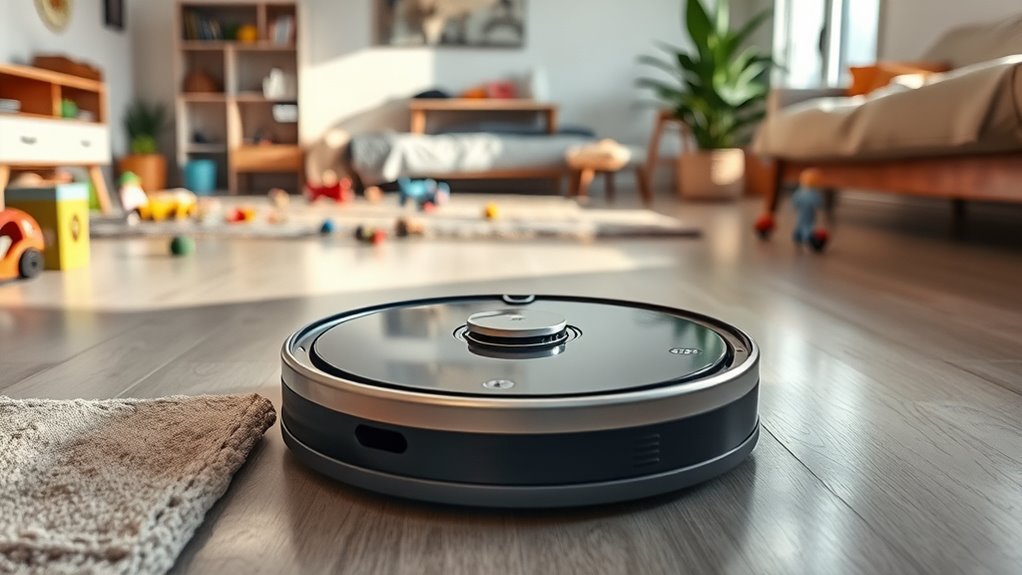
While robot vacuums have revolutionized home cleaning, they often miss edges, leaving dust and debris in hard-to-reach areas. This issue arises from a combination of sensor limitations, design constraints, and navigation algorithm shortcomings. For instance, edge sensors typically struggle to detect walls accurately, which means they can miss areas along baseboards. Additionally, cliff sensors prioritize drop-offs over precise edge hugging, leading to inconsistent edge cleaning. Dirty sensors further complicate matters, as they can block edge detection, resulting in navigation errors that leave your floors less than spotless.
The design of these vacuums contributes to the edge-cleaning problem as well. Most robot vacuums come in cylindrical or round shapes that make it difficult to access tight corners effectively. Their brush width is often narrower than the body, which means they leave small edge strips uncleaned. Plus, the height of the wheels and chassis limits how closely they can get to walls. This design flaw is particularly evident in budget models, which frequently lack advanced edge-following motors that could mitigate these issues.
Navigation algorithms also play a role in why robot vacuums miss edges. Many mapping systems prioritize open areas, unintentionally skipping edge retours. Even firmware updates meant to improve performance can alter cleaning patterns, focusing on edges over center areas but still missing backtracking. Moreover, LiDAR systems can confuse reflective surfaces with actual edges, making accurate navigation a challenge. These algorithms may even avoid repeated edge passes to conserve battery life, further amplifying the problem.
Environmental obstacles add another layer of complexity. Mirrors can distort edge mapping, while floor-to-ceiling windows create false boundaries. Narrow spaces might be misread as walls, and furniture shadows can confuse sensors trying to differentiate between obstacles and edges. These factors can lead to considerable edge-cleaning failures.
Fortunately, you can implement simple room setup fixes to improve edge cleaning. Start by creating a clear 2–3 cm gap along walls by moving clutter away. Enable an explicit “edge” or “wall follow” cleaning mode if available. Regularly clean your robot’s sensors to guarantee top performance. Adjust virtual boundaries and check for manufacturer-recommended settings to maximize edge coverage. By taking these steps, you can markedly enhance your robot vacuum’s edge-cleaning capabilities, ensuring a cleaner home.
Frequently Asked Questions
How Often Should I Clean the Robot Vacuum’s Sensors?
You should clean your robot vacuum’s sensors regularly, ideally every week or after each cleaning session. Dust and debris can accumulate on the sensors, affecting navigation and performance. If you notice the robot struggling or missing areas, it’s a good idea to check and clean them more frequently. Keeping the sensors clean guarantees efficient operation and helps maintain ideal cleaning performance in your home.
Can I Use My Robot Vacuum on Carpeted Edges?
Yes, you can use your robot vacuum on carpeted edges, but it might not clean them thoroughly. The vacuum’s design often leaves small gaps along walls and corners, especially on thick carpets. To improve edge cleaning, clear any obstacles near the edges and enable an “edge” cleaning mode if available. Regularly check for firmware updates, too, as these can enhance your vacuum’s performance on carpets and around edges.
What Maintenance Is Required for Robot Vacuum Brushes?
To keep your robot vacuum brushes in tip-top shape, think of them as dancers that need a clear stage. Regularly check and clean the brushes to remove hair and debris that cling like unwanted partners. Every month, inspect for wear and tear, replacing them when necessary. Don’t forget to clean the brush housing and make sure nothing obstructs their graceful movements—this way, they’ll keep your floors sparkling clean!
Are Robot Vacuums Safe for Hardwood Floors?
Yes, robot vacuums are generally safe for hardwood floors. They’re designed to clean without scratching or damaging the surface. However, you should check your model’s specifications to verify compatibility, especially if you have high-gloss finishes. Regular maintenance, like cleaning brushes and wheels, helps maintain performance. To avoid potential issues, remove any debris or clutter from the floor before running your vacuum, ensuring it can operate effectively without causing harm.
How Do I Reset My Robot Vacuum’s Mapping?
Resetting your robot vacuum’s mapping is as easy as pie! Just head to the app, find the settings menu, and look for an option labeled “Reset Mapping” or something similar. Tap it, and your vacuum will clear its current map, giving you a fresh start. Make sure it’s fully charged before you begin. Once done, let it run a new mapping session to accurately cover your home. Happy cleaning!
Conclusion
In the world of cleaning, robot vacuums can feel like a ship steering a foggy harbor, often missing the edges where dirt lurks. But with a little room setup finesse, you can clear the way for smoother sailing. By repositioning furniture and keeping corners accessible, you’ll guide your robot to every hidden nook and cranny. Embrace these simple adjustments, and watch your vacuum transform into a thorough, edge-hugging cleaning companion that leaves no dirt behind.