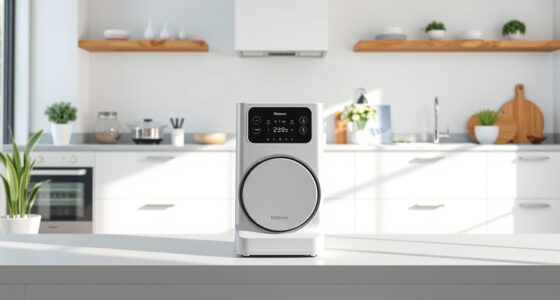
Robot vacuums collect data on your home’s layout, movements, and routines to optimize cleaning. This includes maps, obstacle info, dirt levels, and sometimes voice commands or schedules. While this improves performance, it can pose privacy risks if the data isn’t protected or if permissions are left open. You can control what’s shared by adjusting privacy settings, disabling unwanted features, and securing your Wi-Fi. Keep exploring to learn simple steps to guard your smart home privacy effectively.
Prime for Young Adults — start your free trial
Fast free delivery, streaming and member deals for eligible 18–24 year olds.
As an affiliate, we earn on qualifying purchases.
Key Takeaways
- Robot vacuums collect home layout, obstacle, dirt level, and usage data via sensors and mapping for optimized cleaning.
- They often gather Wi-Fi connection info, user schedules, and personal preferences that may pose privacy risks.
- Review and disable data sharing features, voice commands, or location permissions within device settings and app controls.
- Protect your Wi-Fi with strong passwords, WPA3 encryption, and network segmentation to prevent unauthorized access.
- Keep device firmware updated and revoke unnecessary permissions to enhance privacy and security of smart vacuum data.
Types of Data Collected by Robot Vacuums

Have you ever wondered what kind of data your robot vacuum collects while cleaning? Your device uses vacuum sensors to navigate and map your home, gathering detailed information about room layouts, obstacles, and floor types. This data helps optimize cleaning paths and ensure thorough coverage. Additionally, your vacuum records user preferences, such as specific cleaning schedules and zones you want to prioritize or avoid. Some models also collect data on dirt levels, indicating how dirty certain areas are, which can influence future cleaning routines. While this data improves performance, it also raises privacy concerns. Understanding what information your robot gathers allows you to make informed decisions about privacy settings and data sharing, ensuring your personal space remains protected. Data collection practices and awareness of smart-home integrations can help you better control your device’s data usage. Being aware of privacy policies can further assist in managing your data sharing preferences. Recognizing the importance of home automation security can help prevent unauthorized access to your smart devices. For example, enabling device encryption can safeguard your data from potential breaches.
How Data Is Used to Improve Cleaning Performance

Your robot vacuum uses mapping and navigation data to understand your home’s layout, helping it clean more efficiently. Performance optimization algorithms analyze this data to improve cleaning routes and adapt to changes. As a result, your device gets better at covering every area quickly and thoroughly. Free floating systems can also influence how data is collected and used, ensuring minimal impact on your privacy while maintaining optimal cleaning performance.
Mapping and Navigation Data
Mapping and navigation data play a crucial role in enhancing the efficiency of robot vacuums. Your device collects mapping data to create detailed floor plans, enabling precise movement. Navigation logs track the vacuum’s path, helping it avoid obstacles and optimize cleaning routes. This data allows the vacuum to learn your home’s layout, ensuring thorough coverage without unnecessary overlap. By analyzing these logs, manufacturers can identify areas that need improved navigation algorithms, leading to better future performance. Your vacuum’s ability to map and remember your home’s layout depends entirely on the collection of this data. While it improves cleaning efficiency, it also raises privacy questions. You can often review and manage this data through app settings, giving you control over what’s stored and shared.
Performance Optimization Algorithms
Performance optimization algorithms analyze the data collected during cleaning sessions to enhance your vacuum’s efficiency over time. They adjust cleaning patterns, speed, and coverage based on your home’s layout and habits. This continuous learning process depends on transparency, so you understand how your data influences performance. To maintain control, you can often customize or disable specific features. With algorithm transparency, you see how data-driven improvements are made, ensuring your privacy isn’t compromised. User control lets you decide what data is used for optimization, giving peace of mind. These algorithms work behind the scenes, refining your vacuum’s ability to clean thoroughly while respecting your privacy preferences. Vetted – wave and wind
Privacy Risks Associated With Connected Robot Vacuums

Have you ever considered the privacy risks that come with connected robot vacuums? These devices collect data about your home, habits, and routines, which could be vulnerable if not properly protected. Without robust data encryption, this information might be intercepted by malicious actors, risking your privacy. Additionally, many users unknowingly grant access without fully understanding how their data is used, highlighting the importance of user consent. If you don’t review permissions or turn off unnecessary features, sensitive information could be shared or stored without your awareness. These privacy risks emphasize the need to stay informed and cautious about the data your robot vacuum gathers and transmits, ensuring you maintain control over your personal information. Understanding data security measures can help you better protect your privacy in the connected home. Being aware of privacy settings and adjusting them accordingly can further reduce potential vulnerabilities, especially when users neglect to manage permissions effectively. Implementing security protocols can also help safeguard your data from unauthorized access. Additionally, understanding the types of data collected can empower you to make informed decisions about device usage and privacy.
Common Privacy Settings and Permissions to Review

To protect your privacy, it’s essential to review the privacy settings and permissions on your robot vacuum regularly. Check the device’s privacy policies to understand what data is collected and how it’s used. Adjust consent settings to control what information you share, such as location or voice commands. Make sure you understand permissions related to Wi-Fi access, camera use, and data sharing options. Review app permissions on your smartphone, ensuring only necessary access is granted. Keep an eye out for options to disable data collection or sharing features if you’re uncomfortable with certain data being transmitted. Regularly revisiting these settings helps you stay in control over your privacy and minimizes unnecessary data exposure. Understanding deep-sky imaging principles can help you better assess the data collected by connected devices and how it might relate to your privacy. Being aware of network security measures can further help you safeguard your personal information from unauthorized access.
Steps to Disable Data Collection and Sharing

Disabling data collection and sharing on your robot vacuum requires maneuvering through its app or device settings. First, locate the privacy or data management section. Turn off options that enable data sharing with the manufacturer or cloud services. Look for features related to data anonymization—these help obscure personal information if data must be collected. If available, disable automatic updates or data uploads that don’t require your explicit user consent. Some devices allow you to opt out of analytics or targeted advertising, which you should do to protect your privacy. Always review the terms and settings carefully, as turning off data collection may limit features or functionality. By taking these steps, you control what data is gathered, shared, or anonymized, safeguarding your privacy. Additionally, understanding trusted businesses and services can help you choose devices with better privacy protections. Being aware of privacy policies and how they handle your data is crucial for making informed choices. To further enhance your privacy, consider exploring data collection practices specific to your device model.
Best Practices for Protecting Your Smart Home Privacy

To protect your smart home privacy, start by securing your Wi-Fi network with strong passwords and encryption. You should also manage device permissions carefully to control what data your gadgets can access. Additionally, keep your device firmware up to date to patch security vulnerabilities and stay protected. Regularly review your smart device settings to ensure only necessary data sharing occurs.
Secure Wi-Fi Networks
Securing your Wi-Fi network is essential for protecting your smart home privacy, especially as more devices like robot vacuums connect to it. Use encrypted connections, such as WPA3, to prevent unauthorized access. Enable network segmentation by creating separate networks for your smart devices and personal devices, reducing the risk of data breaches. Change default passwords on your router and smart devices to strong, unique ones. Regularly update firmware to patch security vulnerabilities and disable remote management features that could be exploited. These steps help safeguard your data and maintain control over your smart home environment. Implementing proper security measures further reduces the risk of unauthorized access and data theft. Additionally, staying informed about Privacy Policy can help you understand how your data is collected and used, empowering you to make better decisions about your network security. Incorporating security best practices from trusted sources can also enhance your overall privacy protection.
Manage Device Permissions
Controlling device permissions is a key step in safeguarding your smart home privacy, especially as more devices like robot vacuums connect to your Wi-Fi network. Limit each device’s access to only what it needs to function. For example, restrict your robot vacuum’s permissions to prevent access to sensitive data or cameras. Customize schedules to control when devices operate, reducing unnecessary data collection. Disable voice command features if you’re uncomfortable with potential eavesdropping.
| Permission Type | Best Practice |
|---|---|
| Camera Access | Turn off unless necessary for security features |
| Microphone Access | Disable unless voice control is essential |
| Location Sharing | Limit to minimize location data collection |
| App Permissions | Review and revoke unnecessary permissions |
| Schedule Settings | Use customizable schedules to control device activity |
Regular Firmware Updates
Regular firmware updates are essential for maintaining your smart home’s privacy. These updates include important software updates and firmware patches that fix security vulnerabilities. Ignoring updates leaves your devices open to hacking or unauthorized data access. To stay protected, regularly check for and install the latest firmware. Keep your devices’ software current to ensure they have the newest security features.
- Enable automatic updates if available
- Visit manufacturer websites for firmware patches
- Remove devices that no longer receive updates
- Stay informed about security alerts for your devices
Future Trends in Privacy and Data Security for Smart Devices

As smart devices like robot vacuums become more integrated into our daily lives, the future of privacy and data security will hinge on innovative solutions that keep your personal information safe. AI integration will enhance device capabilities while enabling smarter privacy controls. Data encryption will become standard, protecting your data during transmission and storage. Expect more manufacturers to adopt decentralized security models, reducing single points of failure. Privacy features will likely include customizable permissions and transparent data practices. As these advancements develop, privacy protocols will need to adapt to ensure ongoing user trust.
Frequently Asked Questions
Can Robot Vacuums Identify Individual Household Members?
Robot vacuums generally can’t identify individual household members by name, but they do use household recognition to differentiate between people and pets. This helps optimize cleaning schedules and avoid obstacles. However, they don’t create detailed user profiling of each person. If privacy is a concern, you can usually turn off household recognition features in the app settings, ensuring your data isn’t used for profiling or targeted advertising.
Do Robot Vacuums Record Audio or Video During Cleaning?
Robot vacuums rarely record audio or video during cleaning, but some models might capture sound for voice command features, raising privacy concerns. You should scrutinize settings and disable any audio recording options if you value privacy. Be vigilant about what data your device collects, so you can protect your personal space from unwarranted worries and unwanted recordings, ensuring your privacy stays protected while your home stays clean.
How Long Is My Data Stored by the Vacuum Manufacturer?
Your data retention policies vary by manufacturer, but typically, your vacuum company stores your data for a specific storage duration, often ranging from a few months to a couple of years. They may retain information to improve service or troubleshoot issues. You should check your device’s privacy settings or user agreement to understand the exact storage duration and how your data is managed. If concerned, you can often request data deletion.
Are There Legal Regulations Governing Data Collection by Smart Vacuums?
You might be surprised, but yes, there are privacy laws and data compliance regulations that govern smart vacuum data collection. These laws, like GDPR or CCPA, aim to protect your personal information. Manufacturers must follow strict rules about what data they collect, how they store it, and when they delete it. Staying informed helps you guarantee your privacy stays protected, and you can request data removal if needed.
What Are the Potential Consequences of Data Breaches Involving Robot Vacuum Data?
If a data breach involves your robot vacuum data, you could face serious consequences like privacy violations and identity theft. Hackers might access personal information, including your home layout or habits, which they could misuse or sell. This puts your security at risk and could lead to financial loss or damage to your reputation. To protect yourself, make sure you update firmware and disable unnecessary data sharing features.
Conclusion
To keep your smart home from turning into a digital Pandora’s box, stay vigilant about your privacy settings—don’t let your robot vacuum’s data collection be your secret Achilles’ heel. Think of it as guarding the gates of Troy; a little caution now saves you from a Trojan horse of privacy breaches later. Regularly review permissions and disable unnecessary data sharing to make certain your home stays the sanctuary you intended—futuristic, yet secure.
Fall yard work Picks
leaf blowers
As an affiliate, we earn on qualifying purchases.