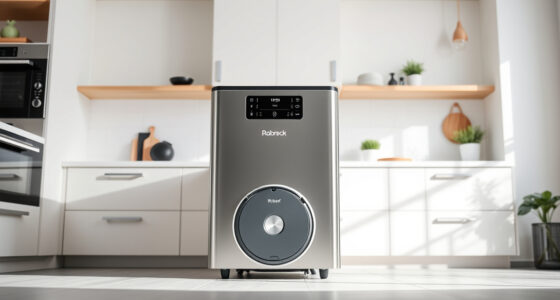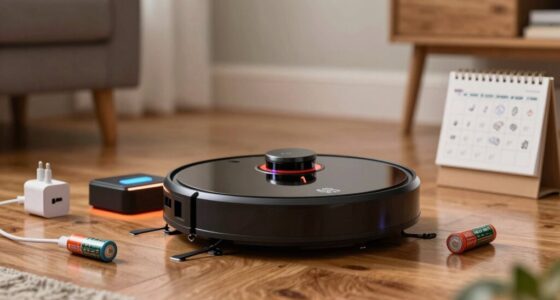
Robot vacuums act weird around mirrors and glass doors because their sensors get tricked by reflections. Mirrors can confuse navigation, leading the vacuums to think there’s an opening when there isn’t. This often results in erratic movements like circling or trying to drive through walls. The cameras and LiDAR struggle with transparent surfaces, causing inefficient cleaning routes. Understanding these quirks can help you optimize your vacuum’s performance, and there’s more to uncover about their behavior.

Get cleaning gear delivered free with Prime
- Fast, free delivery on millions of items
- Prime Video, Amazon Music and more included
- Member-only deals all year
Key Takeaways
- Robot vacuums struggle with mirrors and glass doors due to sensors misinterpreting reflections as open spaces, leading to navigation errors.
- Cameras often fail to detect transparent surfaces, causing vacuums to attempt to drive through non-existent openings.
- Erratic behaviors, such as circling or inefficient cleaning routes, arise from inaccurate sensor data near reflective surfaces.
- Advanced technologies like hybrid sensors and dToF LiDAR improve obstacle detection but may not eliminate all navigation issues.
- Practical solutions, such as placing rugs or tape markers, can help vacuums navigate around mirrors and glass doors more effectively.

When steering through your home, mirrors and glass doors can pose significant challenges for robotic vacuums. These shiny surfaces often confuse the sensors that help your vacuum navigate effectively. For instance, if your vacuum uses LiDAR, it may misinterpret the reflections from a glass door as open space. This leads to the robot attempting to drive through a non-existent opening, only to back away when it hits a solid surface. You might notice your vacuum circling confusedly in front of mirrored closet doors, trying to reconcile conflicting sensor data. Such behavior stems from the inherent limitations of the sensors used.
Cameras are also a weak link in this scenario. They often fail to distinguish between transparent surfaces and obstacles, which means your vacuum might treat a clear glass door as if it were non-existent. If the robot’s camera is single-directional, it becomes even less effective against reflections. Models like the Narwal Freo Z Ultra can identify over 120 obstacles but still struggle with glass, leading to inefficient cleaning paths. Camera-based vacuums utilize dual RGB or 3D sensors that help improve their spatial mapping capabilities but may still face challenges with reflective surfaces. In addition, high refresh rates can enhance the vacuum’s processing speed, helping it react more swiftly to its surroundings.
The limitations of these sensors can result in odd navigation behaviors. Your vacuum might poke corners or get stuck near mirrored areas, spending up to ten minutes in erratic movements before retreating. This confusion can result in repeated circling and incorrect docking attempts, as the robot misinterprets its surroundings. Without a reliable map of the space, it may even fail to recognize mirrored walls, leading to inefficient cleaning routes.
To mitigate these issues, manufacturers have developed hybrid navigation solutions that combine cameras with LiDAR and ultrasonic sensors. These systems aim to compensate for each other’s weaknesses, but even they face challenges when primary sensors misread. You might find that placing rugs or tape markers in front of glass doors and mirrors can help create consistent reference points for your vacuum’s sensors.
If you want to minimize these problems, consider using models equipped with dToF LiDAR, which offers better detection of transparent and reflective objects. Additionally, leveraging AI trained on extensive datasets can enhance obstacle recognition. Customizable app routines can also help you avoid problematic mirror zones, allowing your vacuum to navigate your home more effectively. By being aware of these quirks, you can optimize your robotic vacuum’s performance and reduce its erratic behavior around mirrors and glass doors.
Frequently Asked Questions
Can Robot Vacuums Clean Effectively Near Mirrors and Glass Doors?
Robot vacuums can struggle to clean effectively near mirrors and glass doors. Their sensors often misinterpret reflections, leading to confusion and navigation errors. You might notice them pausing or retracing their routes as they encounter these surfaces. To improve cleaning near such areas, consider placing physical markers or setting no-go zones in your vacuum’s app. This way, you can help guide the robot and minimize its misbehavior around reflective surfaces.
How Do Mirrors Affect a Robot Vacuum’s Navigation?
Mirrors can confuse your robot vacuum’s navigation. When it encounters a mirror, its sensors may misinterpret reflections as obstacles or open spaces, causing it to behave erratically—pausing, rotating, or even trying to drive through the reflection. This leads to mapping errors, where it may create ghost rooms or duplicate corridors. To minimize these issues, consider placing physical markers near mirrors or configuring no-go zones in the app to guide its path effectively.
What Types of Sensors Struggle With Glass Surfaces?
You might think all sensors are equally effective, but that’s not the case with glass surfaces. LiDAR and camera-based systems often struggle, misreading reflections and creating ghost maps. Infrared sensors can give false negatives, while ultrasonic sensors may misinterpret echoes. These challenges lead to confusion for your robot vacuum as it navigates, making it essential to contemplate these sensor limitations when choosing a model for your home.
Are All Robot Vacuums Equally Affected by Mirrors?
No, not all robot vacuums are equally affected by mirrors. Some models, especially those with advanced multi-sensor systems like dToF LiDAR and cameras, handle reflective surfaces better. They can reduce misinterpretations that cause navigation issues. In contrast, lower-cost models with single sensors often struggle more, leading to erratic behavior around mirrors. To minimize problems, consider choosing a vacuum with robust sensor fusion capabilities for homes with many glass surfaces.
How Often Should I Update My Robot Vacuum’s Firmware?
You should update your robot vacuum’s firmware every few months or whenever the manufacturer releases a new update. Regular updates can improve performance, enhance sensor fusion, and fix bugs. If you notice any unusual behavior or navigation issues, check for firmware updates immediately. Staying current with updates guarantees your vacuum operates efficiently and adapts to any improvements, keeping your cleaning routine smooth and hassle-free. Don’t forget to review the manufacturer’s recommendations!
Conclusion
In the world of robot vacuums, mirrors and glass doors can really throw a wrench in the works. These clever little machines struggle to navigate their reflections and transparent surfaces, often leading to some amusing antics. Understanding their quirks can help you create a smoother cleaning routine. So, while they might seem a bit lost at times, knowing how to manage their environment will keep them on the right track, making your home shine like a new penny.
Halloween Picks
halloween
As an affiliate, we earn on qualifying purchases.