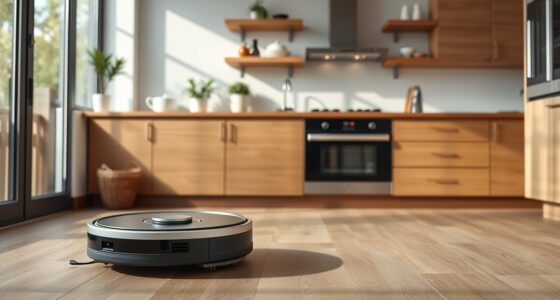
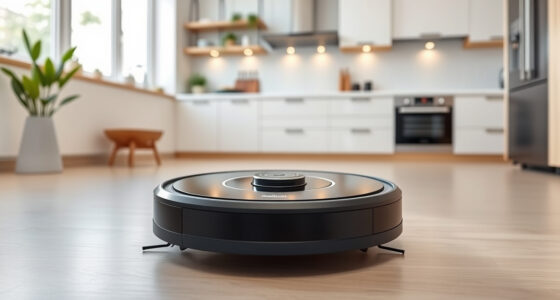
A cluttered, identical room layout is the key mistake that confuses robot vacuum mapping. When rooms lack unique landmarks or have similar furniture arrangements, the robot struggles to distinguish between spaces. This can lead to merging maps and inaccurate navigation. To improve mapping accuracy, add distinctive objects and keep your environment organized. By maintaining a consistent layout, you can help your robot perform efficiently. Let’s explore some practical layout tips to enhance your vacuum’s performance further.

Get cleaning gear delivered free with Prime
- Fast, free delivery on millions of items
- Prime Video, Amazon Music and more included
- Member-only deals all year
Key Takeaways
- Identical room layouts can confuse SLAM by causing the robot to merge maps from similar spaces.
- Cluttered environments with identical furniture hinder the robot’s ability to recognize distinct areas.
- Long, repetitive corridors lead to mapping errors due to a lack of unique landmarks.
- Poor lighting conditions reduce feature detection, resulting in incomplete or inaccurate maps.
- Moving objects during a mapping cycle disrupts spatial consistency, causing significant mapping errors.

When you design an open floor layout without distinct features, you might unknowingly confuse your robot vacuum’s mapping capabilities. In such spaces, the lack of unique landmarks makes it hard for the vacuum’s sensors to accurately identify and differentiate rooms. When there are identical room layouts or long, repetitive corridors, the SLAM (Simultaneous Localization and Mapping) algorithms can easily mix up one area for another, resulting in overlapping or swapped maps.
Moving your robot vacuum between similar spaces during a mapping cycle can create merged maps, as its onboard odometry may reset or misalign. If you’ve clustered identical furniture, like matching chairs or tables, this further complicates the mapping process. Without unique cues, your vacuum struggles to maintain spatial consistency, leading to potential map drift. Adding small distinguishing objects, like plants or mats, can help improve recognition and reduce confusion. Additionally, cleaning appliances can be optimized for better performance when the environment is well-organized.
Continuous human intervention during the mapping process can also introduce errors. If you physically relocate the robot mid-cycle, it may register these changes incorrectly, causing slanted or overlapping segments in the map. Moving large obstacles, or even nudging the vacuum, disrupts spatial consistency and corrupts the saved map. To avoid these issues, manufacturers recommend running uninterrupted full mapping cycles and steering clear of interference until the map is finalized.
Low or variable lighting can degrade camera-based visual SLAM, causing feature-poor maps and alignment failures. Strong backlighting or reflective surfaces, like glass doors, may prevent the sensors from detecting boundaries accurately, leading to overestimations of room sizes. Transitions from bright to dark areas can also reduce feature matching confidence, creating warped walls on the map. Hence, it’s wise to conduct mapping runs in consistent lighting conditions to enhance feature detection. Additionally, environmental interference from obstacles can also impact the accuracy of the robot’s mapping efforts.
Finally, sensor obstruction or contamination can lead to noisy range data, causing phantom walls in your vacuum’s mapping. Dirty LiDAR sensors or obstructed cameras produce incomplete scans that misguide the SLAM system, yielding shifted maps. To combat this, regular sensor cleaning and self-checks are vital to minimize mapping errors. By understanding these factors, you can create a more effective layout and enhance your robot vacuum’s cleaning efficiency.
Frequently Asked Questions
How Can I Improve My Robot Vacuum’s Mapping Accuracy?
To enhance your robot vacuum’s mapping accuracy, start by cleaning its sensors regularly. Make certain the space is well-lit and free from reflective surfaces that might confuse it. If you’ve got an open layout, introduce furniture or obstacles to help it recognize boundaries. Also, consider running a fresh mapping cycle after each cleaning session. Finally, use the app to create No-Go Zones, guiding the vacuum to avoid unwanted areas and enhancing overall efficiency.
What Features Should I Look for in a Robot Vacuum?
When choosing a robot vacuum, look for features like advanced mapping technology, including LiDAR sensors for precise navigation. A strong suction power is essential for effective cleaning, especially on carpets. Consider models with smart home compatibility, so you can control them via an app. Also, check for customizable cleaning schedules and no-go zones to protect delicate areas. Finally, a long battery life guarantees your vacuum can cover larger spaces without stopping.
Can Robot Vacuums Clean Multiple Floor Types Effectively?
Yes, robot vacuums can clean multiple floor types effectively. They’re designed with sensors that adapt to various surfaces, like hardwood, tile, and carpet. You’ll find that most models automatically adjust their cleaning modes, optimizing suction power and brush height. Just make sure you keep the sensors clean and maintain your vacuum regularly. If you have distinct switches between floor types, consider a model with advanced mapping technology for the best results.
How Often Should I Clean My Robot Vacuum’s Sensors?
You should clean your robot vacuum’s sensors at least once a week. It’s surprising how quickly dust and debris can accumulate, affecting its performance. If you notice it struggling to map your home or missing spots, it’s a clear sign for a sensor clean. Regular maintenance not only improves navigation but also extends the vacuum’s lifespan. Keep those sensors in top shape, and you’ll enjoy smoother cleaning sessions and better results!
What Should I Do if My Vacuum Gets Stuck Frequently?
If your vacuum gets stuck frequently, first check for obstructions like cords or furniture blocking its path. Clear away any debris and guarantee sensors are clean. Next, consider adjusting the layout by adding objects or boundaries to help the vacuum navigate better. You might also want to set up No-Go Zones to prevent it from entering tricky areas. Regularly monitor its cleaning cycles to identify patterns of where it tends to get stuck.
Conclusion
In conclusion, avoiding the common layout mistake of having cluttered spaces can drastically improve your robot vacuum’s efficiency. Did you know that 75% of robot vacuum users report better cleaning performance when their floors are clear? By ensuring your floors are tidy and organized, you not only enhance mapping accuracy but also save time on cleaning. So, take a moment to declutter and let your robot do its job more effectively!
Fall Picks
fall essentials
As an affiliate, we earn on qualifying purchases.