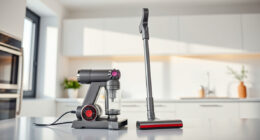
Unboxing a new Dyson V15 Detect™ Origin Cordless Vacuum is exciting, but proper setup ensures you get the best cleaning performance from your investment. This guide walks you through each step to assemble your vacuum correctly, optimize its features, and troubleshoot common issues.
Whether you’re a first-time user or upgrading from an older model, following these clear, practical instructions will help you enjoy a deep clean with minimal hassle and maximum safety.
Key Takeaways
| Powerful Cleaning | The V15 Detect offers 100% more power and intelligent debris detection. |
| Extended Run Time | Enjoy up to 60 minutes of cleaning on a single charge. |
| Smart Features | LCD screen displays particles, power mode, and alerts. |
| Versatile Use | Convertible to handheld for cars, stairs, and upholstery. |
| Compatible Attachments | Use specialized tools like crevice attachments for hard-to-reach spots. |

Dyson V15 Detect™ Origin Cordless Vacuum
Powerful and intelligent for whole-home deep cleaning. Reveals invisible dust.
As an affiliate, we earn on qualifying purchases.
Unboxing and Initial Inspection
- Carefully open the packaging and remove the Dyson V15 Detect™ Origin Vacuum, along with all included accessories such as the crevice tool and cleaner heads.
- Inspect each component for damage or missing parts. Confirm that the main vacuum body, cleaner heads, and attachments match the included inventory list.
- Read the user manual briefly to familiarize yourself with each part and safety warnings.

LANMU Crevice Tool Vacuum Attachments Compatible with Dyson V15 V12 V11 V10 V9 V8 V7 Gen5 Outsize Vacuum Cleaner, Narrow Nozzel Replacement Parts for Hard-to-Reach Space
Wide Compatibility: This crevice tool attachment is compatible with V15 V12 V11 V10 V9 V8 V7 Gen5 G5...
As an affiliate, we earn on qualifying purchases.
Assembling the Vacuum
- Attach the main cleaner head to the wand by aligning the connection points and pushing until it clicks securely into place.
- If you plan to use the vacuum as a handheld, detach the wand by pressing the release button and connect the desired tools, such as the crevice tool from the optional accessories.
- Charge the vacuum fully before first use by connecting it to a standard power outlet via the charging dock or charging cable, ensuring the LCD shows charging progress.
Installing and Replacing Filters
The Dyson V15 Detect features filters that need periodic maintenance for optimal performance. To install or replace filters:
- Locate the filter compartment, usually at the cyclone or motor area.
- Remove the old filter carefully, then insert the new one, ensuring it is seated properly.
- For replacement filters like the V10 or V8 series, ensure compatibility and follow the specific installation instructions provided with your filters.
Remember to wash reusable filters with water, let them dry completely before reinstalling, and replace filters every 2-3 months depending on usage.
Powering On and Initial Settings
Once assembled and filters are in place, press the power trigger to turn on the vacuum. The LCD screen will display the current power mode, remaining run time, and debris detected.
Adjust the power mode using the button or settings menu if available. The vacuum adapts its power based on debris and floor type, but manual adjustments can optimize battery life and cleaning effectiveness.
Familiarize yourself with the LCD alerts—these notify you of maintenance needs or low battery so you can address issues promptly.
Using Attachments and Cleaning Tips
For hard-to-reach areas, attach the crevice tool or other accessories. Use the crevice tool to clean corners, edges, and tight spaces like between sofa cushions or along baseboards.
Switch between cleaner heads as needed, such as the Fluffy Optic for hard floors or the Digital Motorbar for carpets and deep cleaning.
Always check the debris bin regularly and empty it when full to maintain suction power. Use the LCD screen to monitor particle pickup and cleaning performance.
Troubleshooting Common Setup Issues
If your vacuum does not turn on, check that it is fully charged and correctly assembled. Ensure the power trigger is pressed firmly during use.
For weak suction, inspect and clean filters, and verify that the debris bin is empty. Replace filters if they are dirty or damaged.
If the LCD displays error messages, consult the manual for specific troubleshooting steps or contact Dyson support for assistance.
The Products in This Guide

Dyson V15 Detect™ Origin Cordless Vacuum
- ✔ Battery Life: Up to 60 minutes
- ✔ Filtration System: Advanced filters included
- ✔ Weight: Lightweight and ergonomic

LANMU Crevice Tool Vacuum Attachments Compatible
- ✔ Nozzle Width: Approx. 1 inch
- ✔ Flexibility: High
- ✔ Compatibility: Most Dyson cordless models
Dyson V15 Detect™ Origin Cordless Vacuum
The Dyson V15 Detect™ Origin Cordless Vacuum offers powerful, adaptive cleaning with smart features that enhance usability and efficiency. Its user-friendly setup process ensures you get started quickly and safely.
Pros:
- Powerful suction with 100% more power
- Intelligent debris detection and LCD display
- Up to 60 minutes of runtime
- Versatile cleaning modes and attachments
Cons:
- Premium price point
- Requires periodic filter maintenance
- Heavy for some users during handheld use
Best for: Deep cleaning homes with mixed floor types and pet hair
Not ideal for: Users seeking a lightweight, budget-friendly option
Bottom line: The Dyson V15 Detect combines power, intelligence, and versatility for comprehensive home cleaning.
LANMU Crevice Tool Vacuum Attachments Compatible
The LANMU Crevice Tool Vacuum Attachments compatible with Dyson models is a versatile accessory that makes cleaning tight corners and narrow spaces much easier. It’s a practical upgrade for your Dyson setup.
Pros:
- Narrow nozzle for precision cleaning
- Flexible and slim profile
- Easy to attach and use
- Compatible with multiple Dyson models
Cons:
- Only suited for narrow spaces
- Additional attachment, not a full vacuum replacement
- May require careful handling to avoid damage
Best for: Cleaning between sofa cushions, car interiors, and baseboards
Not ideal for: For general large-area cleaning, a full-sized head is better
Bottom line: A compact, effective tool to reach the nooks and crannies in your home or car.
Frequently Asked Questions
How do I know when my filters need replacing?
Check the LCD screen for maintenance alerts or inspect filters for dirt buildup. Replace filters every 2-3 months for optimal performance.
Can I use third-party filters with my Dyson V15?
It’s recommended to use Dyson-approved filters to maintain warranty and ensure proper fit and filtration.
Why is my vacuum not turning on?
Ensure it is fully charged, the battery is installed correctly, and the power trigger is pressed firmly. Check for any error messages on the LCD.
How do I clean the filters?
Remove the filters and rinse them with water. Let them dry completely before reinstalling. Do not wash filters with soap or put them in a dryer.
What should I do if the suction is weak?
Empty the debris bin, clean the filters, and check for blockages in the wand or cleaner heads. Replace filters if they are damaged or overly dirty.
Your Path to a Spotless Home Starts Here
Setting up your Dyson V15 Detect™ Origin Cordless Vacuum correctly is key to achieving the best cleaning results. Follow these simple steps, perform regular maintenance, and utilize the right attachments for different surfaces. With proper setup and care, your vacuum will deliver powerful, intelligent cleaning for years to come.
Enjoy a cleaner, healthier home with your new Dyson, and remember that a little initial effort in setup pays off with effortless, deep cleaning every time.
Affiliate disclosure: As an Amazon Associate we earn from qualifying purchases. Prices and availability are accurate as of the time of publishing.