Getting started with your new Dyson V15 Detect™ Origin Cordless Vacuum is straightforward, but following proper setup steps ensures you get the best cleaning performance and longevity from your device. This guide provides clear instructions to help you assemble, maintain, and troubleshoot your vacuum with confidence.

Get cleaning gear delivered free with Prime
- Fast, free delivery on millions of items
- Prime Video, Amazon Music and more included
- Member-only deals all year
Before beginning, make sure you have all the included accessories and replacement filters ready for installation or maintenance tasks.
Key Takeaways
| Powerful & intelligent cleaning | Reveals invisible dust and adapts suction based on debris and floor type. |
| Long battery life | Up to 60 minutes of run time for whole-home cleaning. |
| Easy assembly & maintenance | Step-by-step guidance for setup, filter replacement, and troubleshooting. |
| Versatile attachments | Includes advanced cleaner heads and crevice tools for various surfaces. |
Unboxing and Initial Inspection
- Carefully unpack your Dyson V15 Detect™ Origin vacuum and all accessories, including the crevice tool and filters.
- Check that all parts are present according to the packaging list.
- Inspect the vacuum for any visible damage or missing components.
Assembling Your Vacuum
- Attach the main cleaner head (either the Fluffy Optic or Digital Motorbar) to the wand until it clicks securely into place.
- Insert the desired cleaning tool (such as the crevice tool) onto the wand or handheld unit as needed.
- Ensure the battery is properly installed if removable, and charge fully before first use.
Installing and Replacing Filters
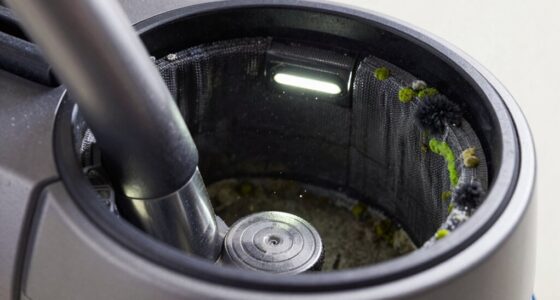
- Remove the pre-filter from the cyclone assembly by twisting it counterclockwise.
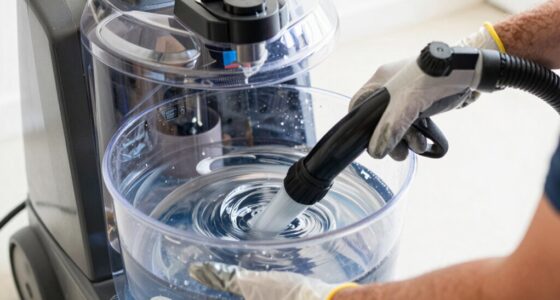
- Rinse the filter under water, wring out excess water, and let it air dry completely for 24 hours before reinstalling.
- For optimal performance, replace the pre-filter every 2-3 months using the 3Pack Replacements.
Powering On and Starting Cleaning
- Press the power trigger to turn on the vacuum; hold for continuous operation or release to stop.
- The LCD screen will display real-time particle count, power mode, and remaining run time.
- Use the different power modes based on your cleaning needs, with the vacuum adapting automatically to debris and floor type.
Troubleshooting and Tips
- If the vacuum isn’t turning on, check that the battery is properly charged and installed.
- For reduced suction, clean or replace the filters regularly and clear blockages in the wand or cleaner heads.
- Ensure the cleaner heads are properly attached for optimal cleaning and data display.
The Products in This Guide

Dyson V15 Detect™ Origin Cordless Vacuum
- ✔ Color: Origin
- ✔ Dimensions: 25 x 10 x 8 inches
- ✔ Warranty: 2 years

LANMU Crevice Tool Vacuum Attachments Compatible
- ✔ Length: 15 inches
- ✔ Weight: 0.5 lbs
- ✔ Material: ABS plastic
Dyson V15 Detect™ Origin Cordless Vacuum
The Dyson V15 Detect™ Origin offers powerful, intelligent cleaning with innovative features like laser dust detection and real-time particle tracking. Its versatile design and long battery life make it ideal for thorough home cleaning.
Pros:
- Powerful suction and deep cleaning
- Intelligent debris detection
- Long battery life (up to 60 mins)
- LCD screen with real-time data
Cons:
- Higher price point
- Requires regular filter maintenance
- Lightweight design may feel less sturdy
Best for: Whole-home cleaning, pet owners, hard-to-reach spots
Not ideal for: Heavy cleaning with very fine dust, budget-conscious buyers
Bottom line: A highly effective, smart vacuum ideal for comprehensive home cleaning.
LANMU Crevice Tool Vacuum Attachments Compatible
The LANMU Crevice Tool Vacuum Attachments are compatible with Dyson V15 and other models, helping you reach tight spots and corners effortlessly. Its slim, flexible design makes cleaning edges, upholstery, and car interiors easier.
Pros:
- Narrow nozzle for tight spots
- Flexible and durable
- Easy to attach and remove
- Versatile for home and car cleaning
Cons:
- May require additional extension for very deep areas
- Not compatible with V6 or canister models
Best for: Cleaning corners, upholstery, car interiors
Not ideal for: Heavy-duty dirt or large debris cleaning
Bottom line: A must-have attachment for detailed cleaning tasks.
Frequently Asked Questions
How often should I replace the filters?
It’s recommended to replace the pre-filter every 2-3 months for optimal performance, and wash it regularly between replacements.
Can I use the vacuum while charging?
Yes, the Dyson V15 Detect™ can be used while plugged in, but for best battery life, it’s better to charge it separately.
How do I troubleshoot if the vacuum isn’t turning on?
Ensure the battery is fully charged, the power trigger is pressed correctly, and the filters are clean and properly installed.
Is the LCD screen waterproof?
The LCD screen is not waterproof. Avoid exposing it to water or moisture to prevent damage.
Your Complete Dyson Setup Guide
Following these setup steps will ensure your Dyson V15 Detect™ Origin performs at its best and lasts longer. Regular maintenance, such as filter cleaning and timely replacement, will keep your vacuum running smoothly. Enjoy effortless, deep cleaning with your new Dyson, and don’t hesitate to troubleshoot or seek replacement parts as needed for continued optimal performance.
Affiliate disclosure: As an Amazon Associate we earn from qualifying purchases. Prices and availability are accurate as of the time of publishing.
Halloween Picks
halloween
As an affiliate, we earn on qualifying purchases.