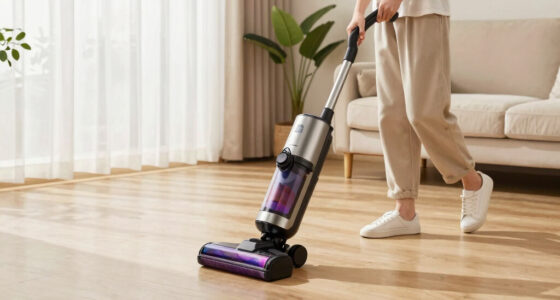
If your Bissell carpet cleaner is leaving excess water on your carpets instead of cleaning and drying effectively, it can be frustrating. This issue often stems from common problems like clogs, faulty parts, or improper maintenance. Fortunately, with some straightforward troubleshooting steps, you can restore your cleaner’s performance and enjoy a fresh, dry carpet.

Get cleaning gear delivered free with Prime
- Fast, free delivery on millions of items
- Prime Video, Amazon Music and more included
- Member-only deals all year
Below, you’ll find detailed, safe instructions to identify and fix the root cause, ensuring your Bissell ProHeat 2X Revolution Pet Turbo Upright Carpet Cleaner works as intended. Remember to always unplug your machine before performing any maintenance or repairs.
Key Takeaways
| Clogged or Dirty Filter | A blocked filter prevents proper water suction and drainage. |
| Faulty Drainage System | Kinks or obstructions in hoses can cause water to leak or leave excess water. |
| Worn or Damaged Pump | A malfunctioning pump can lead to improper water recirculation and drainage. |
| Incorrect Settings or Usage | Using the wrong mode or overfilling water tanks can cause issues. |
Step 1: Unplug and Inspect the Water Tanks
- Ensure the machine is unplugged from the power outlet to prevent electrical hazards.
- Remove the water and solution tanks carefully. Check for any cracks, leaks, or buildup of debris around the tanks and their seals.
- Inspect the tanks for proper seating. If they are not securely attached, water may leak or not drain properly.
- Clean the tanks with warm water and a mild detergent, ensuring no remaining residue blocks the intake or outlet ports.
- Reattach the tanks securely and proceed to the next step.
Step 2: Clean or Replace the Filter
The filter is essential for proper water flow. A clogged or dirty filter can cause water to leave the machine or leak.
- Locate the filter—usually near the water intake or on the side of the machine.
- Remove it carefully and rinse under warm water to eliminate dirt and debris.
- If the filter appears damaged or excessively worn, replace it with a compatible one, such as the JORAIR Brush Replacement.
- Reinstall the filter securely.
Step 3: Check the Hoses and Connections
Hoses can develop kinks or blockages over time, impeding water flow.
- Inspect all hoses for signs of damage, cracks, or obstructions.
- Make sure hoses are properly connected and not kinked or compressed.
- Clear any debris or blockages inside the hoses carefully.
- If hoses are damaged beyond repair, replace them with compatible parts.
Step 4: Examine and Test the Pump
The pump circulates water and cleaning solution. A malfunction here can cause water to leave improperly or leak.
- Listen for unusual noises when the machine is in operation, which may indicate a pump issue.
- Check for leaks around the pump area.
- Test the pump by running the machine in a low water setting. If it fails to circulate water correctly, the pump may need replacement or professional repair.
- Consider contacting a technician if you suspect a pump failure, as this involves internal parts.
Step 5: Use Proper Settings and Maintenance
Ensure you are using the correct cleaning mode and not overfilling the water tanks. Refer to your user manual for recommended settings.
- Use MAX Clean Mode for heavily soiled carpets, but avoid overfilling the tanks.
- Follow the manufacturer’s instructions for maintenance, including regular cleaning of brushes and filters.
- Clean your machine after each use to prevent buildup that could cause leaks or poor drainage.
- Replace worn brushes and filters periodically to maintain optimal performance.
The Products in This Guide

BISSELL ProHeat 2X Revolution Pet Turbo Upright Carpet C
- ✔ Weight: 18 lbs
- ✔ Warranty: 2 years
- ✔ Color: Gray/Red

JORAIR Brush Replacement Compatible
- ✔ Price: Affordable
- ✔ Pack Size: 3 rolls + filters
- ✔ Compatibility: Multiple CrossWave models
BISSELL ProHeat 2X Revolution Pet Turbo Upright Carpet C
The BISSELL ProHeat 2X Revolution Pet Turbo Upright Carpet Cleaner is a powerful and versatile machine designed to handle stubborn pet messes and embedded dirt. Its TurboStrength Motor provides 40% more suction power, making it effective at removing excess water and dirt from carpets. The machine’s heatwave technology maintains water temperature, aiding in thorough cleaning and faster drying. Despite its power, it operates quietly, making it suitable for busy households.
Pros:
- Powerful suction with TurboStrength Motor
- Effective for pet stains and embedded dirt
- Fast drying with express clean mode
- Maintains water temperature with Heatwave technology
Cons:
- Requires regular filter and brush maintenance
- Can be heavy to maneuver
- Potential for clogging if not maintained properly
Best for: Deep cleaning, pet stains, and heavily soiled carpets
Not ideal for: Light cleaning or delicate rugs
Bottom line: A powerful, pet-friendly upright cleaner with advanced features for deep, efficient cleaning.
JORAIR Brush Replacement Compatible
The JORAIR Brush Replacement compatible with Bissell CrossWave ensures your machine maintains optimal agitation and dirt removal. Easy to install and compatible with various CrossWave models, this brush roll helps restore your cleaner’s effectiveness, especially if your original brush is worn out or damaged.
Pros:
- Easy to install and replace
- Compatible with multiple CrossWave models
- Restores cleaning power
- Affordable price
Cons:
- Only compatible with CrossWave
- Requires regular replacement for best results
- May not fit all models perfectly
Best for: Maintaining or restoring CrossWave cleaning performance
Not ideal for: For non-compatible models or upright cleaners
Bottom line: A practical replacement brush roll that restores your CrossWave’s cleaning power.
Frequently Asked Questions
Why is my Bissell cleaner leaving water on the carpet?
This can happen due to clogged filters, blocked hoses, or a malfunctioning pump. Follow the troubleshooting steps to identify and fix the issue.
How often should I clean the filters and brushes?
It’s recommended to clean filters and brushes after every few uses to prevent buildup and ensure optimal performance.
Can I use any cleaning solution with my Bissell?
Use only BISSELL or recommended compatible cleaning solutions, such as the Bissell Multi-Surface Solution, to avoid damage or performance issues.
What should I do if the water tank leaks?
Check for cracks or improper sealing. Clean the tank and seals thoroughly, and replace damaged parts if necessary.
Is it safe to repair my Bissell myself?
Basic maintenance like cleaning filters or hoses is safe. For internal repairs like the pump, consult a professional or contact Bissell customer support.
Keep Your Carpet Cleaner Performing at Its Best
Regular maintenance and troubleshooting can significantly extend the life of your Bissell carpet cleaner. By inspecting filters, hoses, and tanks, and ensuring proper usage, you can prevent issues like water leakage or poor cleaning results. If problems persist, consider replacing worn parts with compatible accessories like the JORAIR Brush Replacement. Staying proactive with cleaning and maintenance ensures your machine continues to deliver professional-grade cleanliness on your carpets and rugs.
Affiliate disclosure: As an Amazon Associate we earn from qualifying purchases. Prices and availability are accurate as of the time of publishing.
Columbus Day / Indigenous Peoples' Day Picks
long weekend sales
As an affiliate, we earn on qualifying purchases.