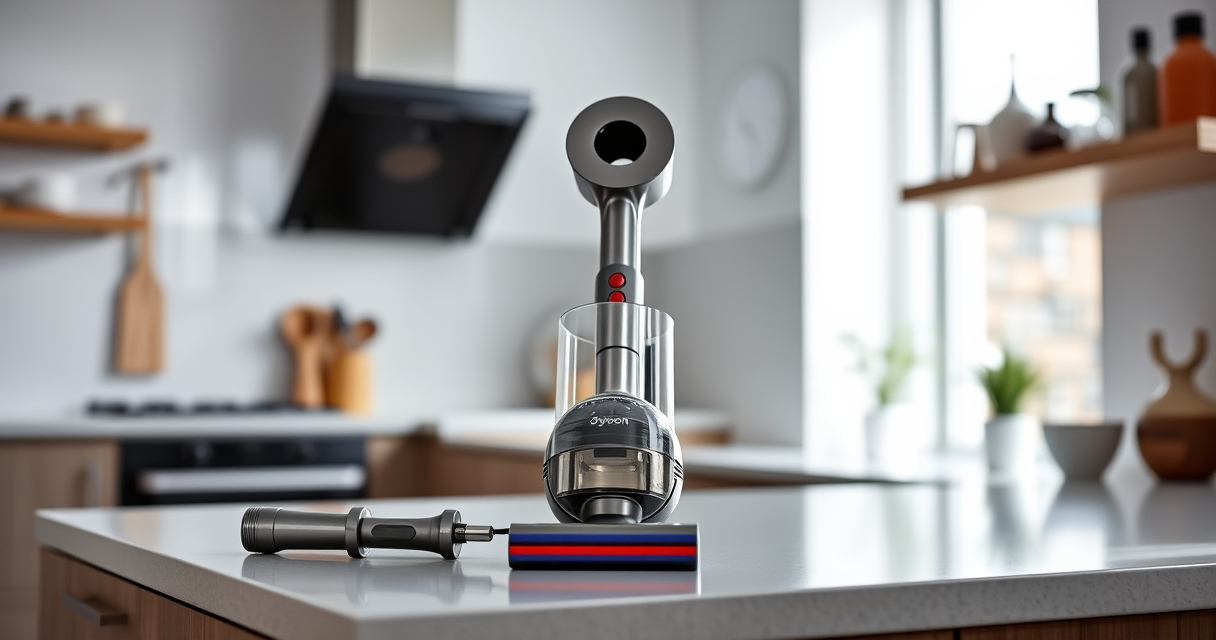

If your Dyson V15 Detect™ Origin Cordless Vacuum is pulsing on and off during use, it can be frustrating and disrupt your cleaning. This common issue often stems from blockages, filter problems, or battery concerns. Fortunately, most causes are simple to diagnose and fix with basic steps.

Get cleaning gear delivered free with Prime
- Fast, free delivery on millions of items
- Prime Video, Amazon Music and more included
- Member-only deals all year
In this guide, you’ll learn practical, safe troubleshooting methods to restore consistent operation to your Dyson vacuum, ensuring it performs at its best for your whole-home cleaning needs.
Key Takeaways
| Clog or blockage | Blockages in the wand or brush bar can cause pulsing. |
| Filter issues | Dirty or clogged filters reduce airflow, leading to pulsing. |
| Battery or power problems | Battery overheating or low power can cause the vacuum to shut off intermittently. |
| Sensor or debris detection | Floor or debris sensors may misfire, triggering pulsing. |
Check for Blockages
- Turn off and unplug your vacuum to ensure safety.
- Inspect the wand, hose, and brush bar for any debris or obstructions. Remove any clogs carefully.
- Clear hair, dust, or debris wrapped around the brush bar or in the wand.
- Reassemble and test the vacuum to see if pulsing persists.
Clean or Replace the Filters
- Remove the pre-filter and main filter from your Dyson vacuum.
- Wash the filters under cold water, ensuring no soap or debris remains. Let them air dry completely, typically 24 hours.
- Reinstall the dry filters securely.
- For optimal performance, replace filters every 2-3 months, especially if heavily used.
Check the Battery and Power Settings
- Ensure the battery is fully charged and properly seated.
- Allow the vacuum to cool down if it feels hot, as overheating can cause pulsing.
- Use the power trigger only when needed to avoid unnecessary strain.
- Try switching power modes or resetting the vacuum by turning it off, waiting a few seconds, then turning it back on.
Reset the Vacuum
- Turn off the vacuum and remove the battery if possible, following your model’s instructions.
- Wait 30 seconds before reinserting the battery.
- Power on and test the vacuum again.
Additional Tips and Warnings
- Always unplug the vacuum before cleaning internal components or filters.
- Use only recommended filters and attachments to avoid damaging the motor or sensors.
- If pulsing continues after troubleshooting, contact Dyson support for professional assistance.
The Products in This Guide

Dyson V15 Detect™ Origin Cordless Vacuum
- ✔ Model: V15 Detect™ Origin
- ✔ Color: Silver/Blue
- ✔ Included tools: Crevice tool, fluffy head, Digital Motorbar

LANMU Crevice Tool Vacuum Attachments Compatible
- ✔ Compatibility: Multiple Dyson models
- ✔ Color: Black/Yellow
- ✔ Included parts: Crevice nozzle
Dyson V15 Detect™ Origin Cordless Vacuum
The Dyson V15 Detect™ Origin is a highly capable cordless vacuum designed for whole-home cleaning. Its features include intelligent debris detection, a digital motor, and powerful suction. Proper maintenance of filters and clearing blockages keeps it performing optimally.
Pros:
- Powerful suction
- Long battery life
- Intelligent debris detection
- Versatile cleaning modes
Cons:
- Filters require regular cleaning
- Can be heavy for some users
- Pricey replacement filters
Best for: Deep cleaning homes with pets and hard floors
Not ideal for: Light cleaning or quick tidying tasks
Bottom line: Regular maintenance and troubleshooting can keep your Dyson V15 Detect™ running smoothly.
LANMU Crevice Tool Vacuum Attachments Compatible
The LANMU Crevice Tool Vacuum Attachments compatible with Dyson models is a slim, flexible nozzle designed for hard-to-reach areas. It enhances your cleaning with precise access to corners, edges, and tight spaces in cars and furniture.
Pros:
- Narrow, flexible design
- Compatible with many Dyson models
- Easy to attach
- Great for detailed cleaning
Cons:
- May not fit older Dyson models
- Limited use for large debris
- Requires careful handling
Best for: Cleaning corners, car interiors, and narrow gaps
Not ideal for: Heavy-duty debris removal
Bottom line: A handy addition to enhance your Dyson’s reach and precision.
Frequently Asked Questions
Why does my Dyson pulsing on and off occur?
It is often caused by blockages, dirty filters, or overheating. Troubleshooting involves cleaning filters, checking for obstructions, and resetting the vacuum.
How often should I clean the filters?
Filters should be washed and dried thoroughly every 2-3 months to maintain optimal airflow and performance.
Can I use any filters with my Dyson?
Only use filters recommended for your specific Dyson model to avoid damage and ensure proper filtration.
What should I do if pulsing persists after troubleshooting?
Contact Dyson customer support for professional diagnosis and repair options if basic troubleshooting does not resolve the issue.
Keep Your Dyson V15 Detect™ Running Like New
By following these troubleshooting steps—checking for blockages, cleaning filters, and resetting your vacuum—you can often resolve pulsing issues quickly and safely. Regular maintenance will ensure your Dyson continues to provide powerful, consistent cleaning performance. If problems persist, professional support is recommended to avoid further damage and keep your home spotless.
Affiliate disclosure: As an Amazon Associate we earn from qualifying purchases. Prices and availability are accurate as of the time of publishing.
Halloween Picks
halloween
As an affiliate, we earn on qualifying purchases.