
TL;DR
Building your own AI workstation used to be cheaper, but recent component shortages and price hikes mean prebuilt systems often match or beat DIY costs. The choice now depends on your time, expertise, and need for support.
Imagine sitting in front of a sleek, glowing AI workstation, ready to crunch data or train models. Now ask yourself: should you craft this machine piece by piece, or buy a ready-made beast? The answer has shifted dramatically this year.
For years, building your own was the obvious choice—cheaper, more flexible, more rewarding. But with skyrocketing GPU prices and component shortages, that story no longer holds. This isn’t just about saving a few dollars; it’s about understanding the real tradeoffs in cost, effort, and support. Ready? Let’s break down what’s happening in 2026 and how you can make the smartest choice.
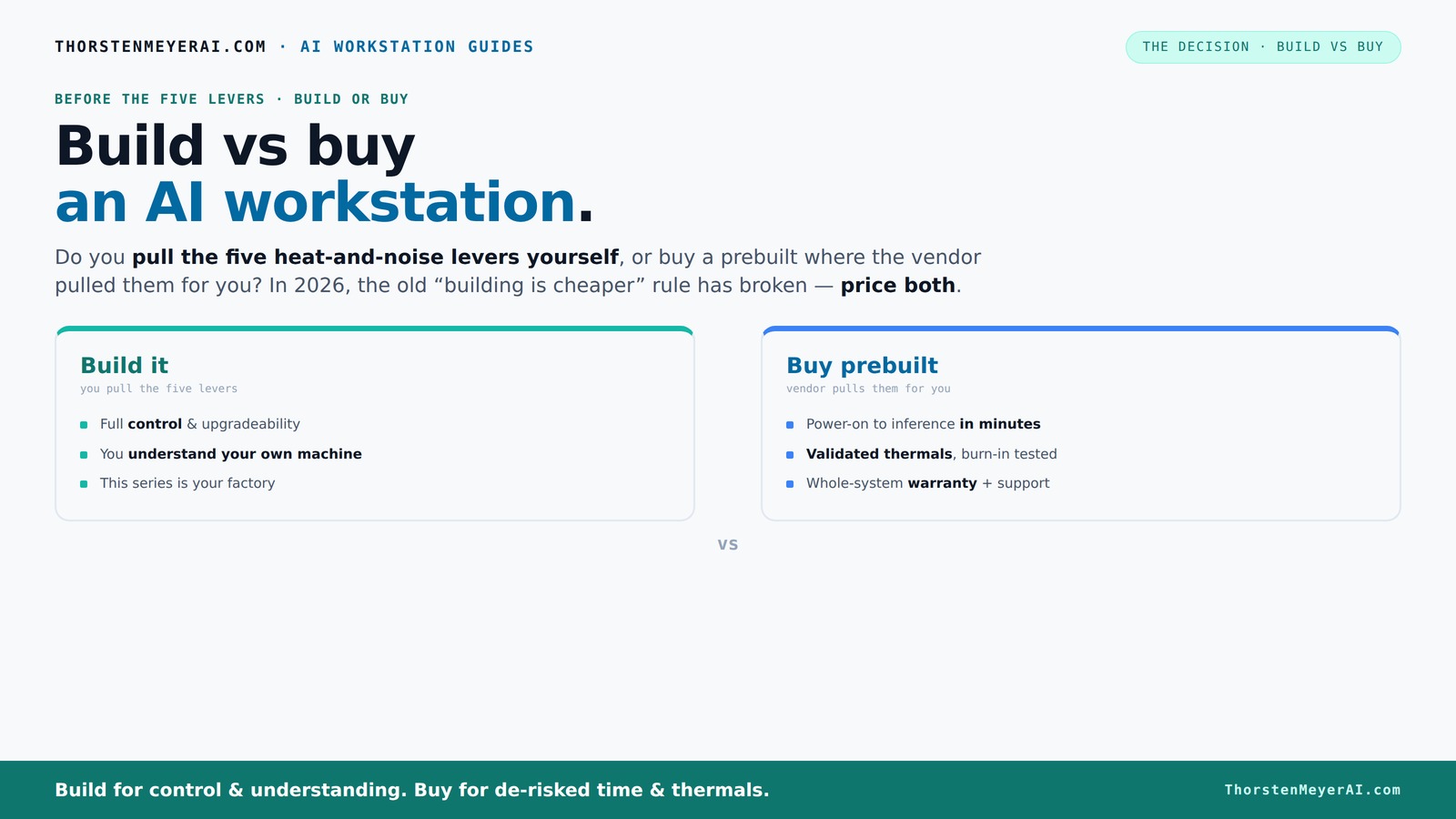
Build vs buy
an AI workstation.
The real question behind this whole series: do you pull the five heat-and-noise levers yourself, or buy a prebuilt where the vendor pulled them for you? And in 2026, the old “building is cheaper” rule has broken. Match your situation in Part 3.
Key Takeaways
- Component shortages and inflation in 2026 make prebuilt AI workstations often as affordable as DIY builds.
- Controlling thermal performance in a high-power AI rig involves five key levers: undervolting, cooling, airflow, fan tuning, and placement.
- Prebuilt vendors validate thermals and provide warranties, reducing risk and setup time.
- Building is best for hobbyists or those with specific customization needs and time to spare.
- Always compare total cost and effort for your exact specs today—market conditions fluctuate fast.
high performance AI workstation prebuilt
As an affiliate, we earn on qualifying purchases.
As an affiliate, we earn on qualifying purchases.
How the Market Changed: Why Build Isn't Always Cheaper Anymore
Building your own AI system used to save you money—simple math, cheaper parts. But 2026 flipped that script. Chip shortages, inflation, and bulk buying by vendors have pushed component prices sky-high.
For example, a high-end GPU like an NVIDIA RTX 4090 that once cost around $1,500 now often sells for over $2,000. Meanwhile, prebuilt vendors buy in bulk, locking in lower prices and passing those savings on. A prebuilt system with similar specs can cost the same or even less than piecing it together yourself.
This shift means that the financial advantage of building your own system has diminished significantly. When component costs are inflated and supply chains are strained, the traditional savings from DIY building are often negated. This forces buyers to consider whether the time and effort invested in assembling and troubleshooting outweigh the marginal cost differences. Moreover, the tradeoff extends beyond price: DIY builds require ongoing maintenance and troubleshooting, while prebuilt systems often come with warranties and support, which can be invaluable when issues arise. Essentially, the market trend underscores that cost savings are no longer guaranteed; instead, the decision must weigh support, reliability, and time as much as price.
customizable GPU workstation build kit
As an affiliate, we earn on qualifying purchases.
As an affiliate, we earn on qualifying purchases.
The Five Levers of a Cool, Quiet AI Workstation—and Who Controls Them
Running a powerful AI workstation means managing heat, noise, and stability. There are five key levers: undervolting the GPU, matching the right cooler, optimizing case airflow, tuning fan curves, and proper placement.
If you build your own, you control every lever—choosing quiet GPUs, custom cooling, and tweaking fans until your system hums like a whisper. For example, you might undervolt your GPU by 10-15%, reducing power draw and heat while maintaining performance.
Buy a prebuilt? The vendor pulls these levers for you. They validate thermals, test for hours under load, and tune fan curves to keep noise and heat down. Some even include water-cooling systems that run whisper-quiet under heavy loads, validated before shipping.
Understanding thermal management at this level is critical because high-performance AI workloads generate significant heat, which can throttle performance or shorten component lifespan if not managed properly. You can learn more about home decor and tech integration. DIY builders have the flexibility to fine-tune thermals for optimal performance and noise levels, but this requires expertise and time. Prebuilts, on the other hand, often come with factory-validated thermals, reducing the risk of overheating or excessive noise, especially important for users who prioritize stability and ease of use. The tradeoff is that prebuilt systems may not offer the same level of custom tuning, but they provide a reliable, tested environment that minimizes thermal issues out of the box.
professional AI workstation with support
As an affiliate, we earn on qualifying purchases.
As an affiliate, we earn on qualifying purchases.
When Buying Is the Smart Play: Your Top Reasons
Buying a prebuilt makes sense if you value plug-and-play convenience. Imagine powering up a system with everything pre-installed—CUDA, PyTorch, TensorFlow—and ready to run models in minutes. No fuss, no guesswork.
Support and warranty are big pluses. A reputable vendor tests their systems extensively, confirming they won’t throttle during long training runs. For more insights, visit Hartsburg News. Plus, if something goes wrong, expert support is just a call away. For example, BIZON offers up to 5 years of support, covering both hardware and thermal issues.
If you're tackling multi-GPU setups or high-end components, prebuilt vendors often handle the complex cooling and power delivery challenges that are tricky for DIY builders. Sometimes, the cost of assembling and troubleshooting your own rig exceeds the extra you pay for a prebuilt.
Additionally, prebuilt systems often include optimized configurations that are difficult for amateurs to replicate. This includes carefully balanced power supplies, cooling solutions, and thermal management tuned by engineers. For users who need reliable performance without investing time into troubleshooting, these advantages make prebuilt options highly attractive, especially when dealing with complex multi-GPU setups or high-performance workloads where stability is paramount.
best prebuilt AI workstations 2026
As an affiliate, we earn on qualifying purchases.
As an affiliate, we earn on qualifying purchases.
When Building Your Own Is Still Worth It: Who Should Go DIY
If you love tinkering and have time, building your own AI workstation can be deeply rewarding—and cost-effective if you pick your parts carefully. For example, hobbyists who enjoy fine-tuning cooling or undervolting may find the DIY route best.
Having control over every component means you can prioritize specific features—like ultra-quiet fans or specialized GPUs—and upgrade easily later. Plus, DIY can still be cheaper if you shop smart, especially if you already have some parts lying around.
However, this path demands patience, research, and troubleshooting skills. If your goal is to just run models without fuss, or if your time is limited, prebuilt might be better. The tradeoff is that DIY builds require ongoing maintenance and troubleshooting, and the process can be daunting for newcomers. But for those who enjoy customizing every aspect of their system and are willing to invest the time, building your own offers unparalleled control and satisfaction that can sometimes translate into cost savings, especially when component prices stabilize and you leverage existing parts.
Comparison Table: Build vs Buy in 2026
| Aspect | Build Your Own | Buy Prebuilt |
|---|---|---|
| Cost | Variable; often higher due to shortages but can be cheaper with clever shopping | Often comparable or lower due to bulk buying and discounts |
| Time & Effort | High; research, assembly, testing | Low; power on and go |
| Customization | Maximum; choose every component | Limited; options depend on vendor |
| Support & Warranty | Component warranties; no single support | Whole system support, often longer warranties |
| Thermal & Noise Tuning | Manual; depends on your skills | Factory validated; ready to run cool & quiet |
| Upgradability | Easy; swap parts over time | Limited; depends on system design |
Your Next Step: What Fits Your Style and Needs
Think about your priorities. Do you enjoy building and tuning, or do you prefer a system that just works? If your time is precious or you need reliability, prebuilt makes sense.
If you’re a tinkerer or on a tight budget, building your own can be deeply satisfying—and often more cost-effective, despite the upfront effort.
Either way, remember: recent market shifts mean you should always compare real prices today. Don’t assume one route is cheaper—do the math for your specific setup.
Frequently Asked Questions
Is building my own AI workstation cheaper than buying?
Not always in 2026. Component shortages and bulk buying have pushed prebuilt prices down, sometimes matching or beating DIY costs. Always compare prices for your specific specs before deciding.How difficult is it to build a high-end AI system myself?
It varies. If you have experience with PC building and troubleshooting, it’s manageable. For newcomers, it can be complex—especially with multi-GPU setups and thermal tuning. Use guides and community forums to help.What should I prioritize if I want a quiet, cool AI workstation?
Focus on quality GPUs with good cooling, undervolt when possible, choose a case with good airflow, and tune your fans. Vendors often validate these aspects for you if you buy prebuilt.Can I upgrade a prebuilt system later?
Depends on the design. Many prebuilt systems allow upgrades for RAM or storage but may limit GPU or CPU swaps. Check the vendor’s upgrade policies before buying.What’s the best way to ensure compatibility of components for a DIY build?
Research compatibility online—use tools like PCPartPicker—and double-check CPU socket, motherboard chipset, power supply wattage, and GPU size. Community forums are also helpful.Conclusion
Deciding whether to build or buy your AI workstation isn’t just about saving money. It’s about matching your skills, timeline, and needs to the current market landscape.
In 2026, the best choice is the one that balances cost, confidence, and convenience. Your next AI project depends on it—so choose wisely, and don’t forget: the right system is the one that lets you focus on your work, not your hardware.