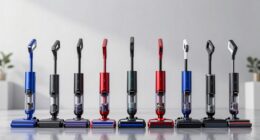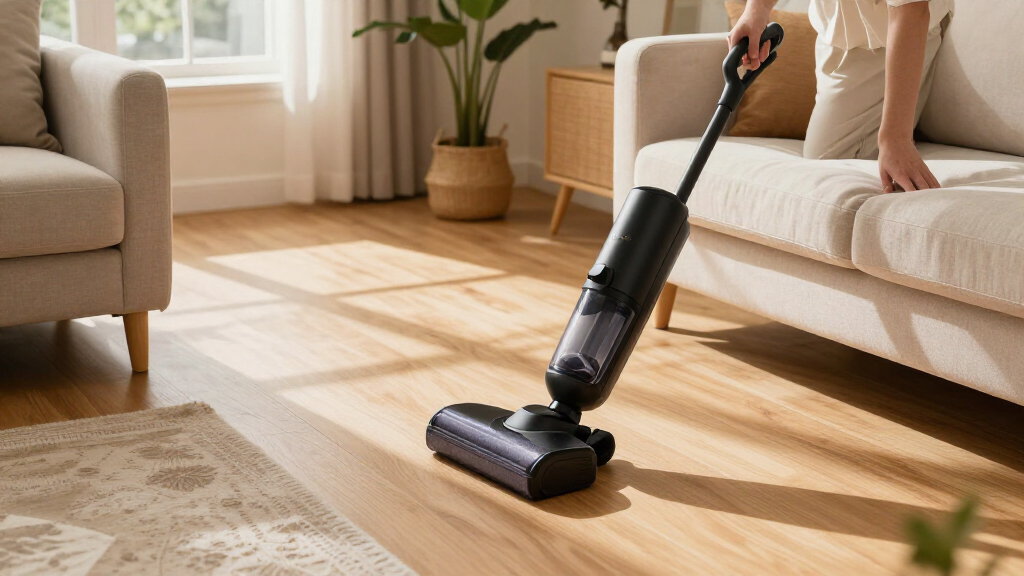
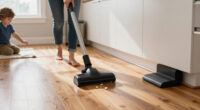
Use this guide to assemble and charge a cordless stick vacuum, clean floors and common surfaces, then empty and maintain the machine. It is for first-time owners and anyone who wants a reliable routine. Allow 10-20 minutes for setup and a first cleaning pass, then about 5-10 minutes for routine care. Your model’s manual takes priority for charging, washable parts, and attachments.

Get cleaning gear delivered free — and shop member deals
- Fast, free delivery on millions of items
- Access to Prime Big Deal Days deals on October 6–7
- Prime Video, Amazon Music and more included

Bissell PowerClean DualBrush 280W Self-Standing Vacuum (4196K)
- ✔ Power: 280W
- ✔ Runtime: Up to 50 minutes low mode; 13 minutes turbo mode
- ✔ Battery: Removable
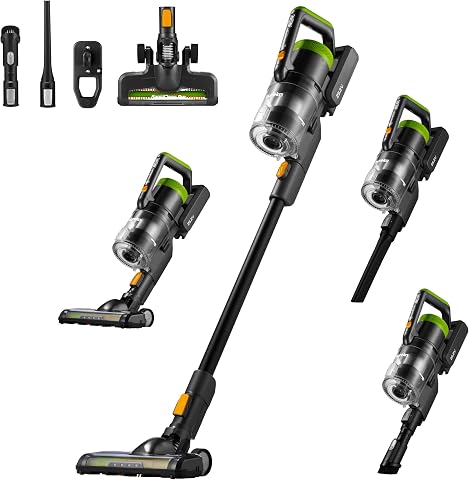
Eureka RapidClean Pro Lightweight Cordless Stick Vacuum (NEC285GR)
- ✔ Model: NEC285GR
- ✔ Weight: 5.3 lb
- ✔ Motor: 250W brushless digital motor

Shark Pet Cordless Stick Vacuum IX141, Grey
- ✔ Model: IX141
- ✔ Runtime: Up to 40 minutes in handheld mode, standard setting
- ✔ Suction: HyperVelocity accelerated suction
Difficulty: Beginner | Time: 10-20 minutes for setup and first use; 5-10 minutes for routine maintenance
What You’ll Need
Tools & Materials:
- Cordless stick vacuum and supplied charger or charging dock
- User manual or manufacturer’s setup instructions
- Clear floor space near an outlet for charging
- Soft, dry cloth and a small cleaning brush, if supplied
Knowledge:
- Basic ability to assemble household equipment and use a power outlet
- Ability to identify floor types and check the vacuum’s surface settings
Unpack the vacuum and check for shipping damage or missing parts. Keep the manual nearby. Check the manufacturer’s instructions before washing any filter or removing a brush roll; some parts must stay dry, and some models require specific replacement filters or batteries.
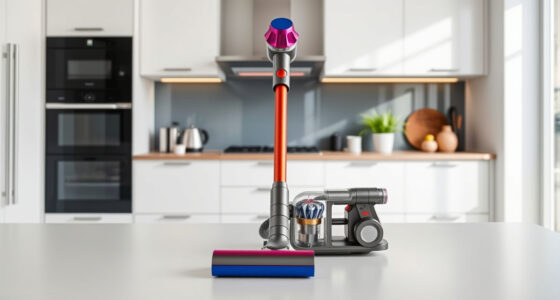
Bissell PowerClean DualBrush 280W Self-Standing Vacuum (4196K)
The PowerClean DualBrush is our best overall choice when a cordless stick vacuum needs to handle more than a light sweep. Its two brush rolls are designed to loosen embedded dirt and pet hair while also picking up larger debris such as kibble. That combination gives it a broader floor-cleaning role than the Eureka, whose strongest distinction is its low weight, and the Shark, which emphasizes conversion to a handheld.AutoAdapt Technology increases suction by 75% when the vacuum senses dirt, aiming to direct extra power where it is needed instead of running at maximum continuously. Its removable battery and stated runtime of up to 50 minutes on low mode provide flexibility for routine cleaning. For furniture and pet fur, the FurFinder Upholstery Tool and headlights add focused help beyond what the included Shark Pet Multi-Tool offers in the supplied details.We should keep the power-mode tradeoff in view: turbo runtime falls to 13 minutes, so intensive cleaning may need to be brief or planned around charge. Its self-standing design can also limit where and how it fits in storage. Buyers prioritizing easy carrying may prefer the 5.3-pound Eureka, while those who want floor-to-handheld conversion may find Shark more adaptable. Bissell makes the most sense when pet hair and varied floor debris are the main challenge.
Pros:
- Dual brush rolls target both fine dirt and larger debris.
- AutoAdapt boosts suction when dirt is sensed.
- Removable battery and up to 50 minutes of low-mode runtime.
- FurFinder tool and headlights focus on visible and upholstery pet hair.
Cons:
- Turbo mode runtime is limited to 13 minutes.
- Self-standing design may restrict storage flexibility.
Best for: Households with pets that need one cordless stick vacuum for fur, embedded dirt, and larger floor debris.
Not ideal for: Buyers who regularly clean in turbo mode for long stretches or need a vacuum that fits a particular compact storage spot.
Bottom line: We recommend the Bissell for pet-focused homes that want a capable floor cleaner and targeted fur tools, provided they can work within its short turbo runtime.
“We recommend the Bissell for pet-focused homes that want a capable floor cleaner and targeted fur tools, provided they can work within its short turbo runtime.”
Eureka RapidClean Pro Lightweight Cordless Stick Vacuum (NEC285GR)
At 5.3 pounds, the Eureka RapidClean Pro is the easiest pick here to carry between rooms and steer for frequent quick cleanups. Its 180-degree rotatable floor brush helps it reach under furniture, and the LED headlight can make dust and debris easier to spot in dim areas. Those handling details give Eureka a clearer advantage over the more pet-specialized Bissell when low effort and maneuverability are the priority.The 250W brushless motor offers three power modes, and the vacuum is specified for up to 40 minutes of runtime, dropping to 15 minutes in High Mode. A washable filter and five-stage filtration round out a practical everyday setup. It is described for hard floors and carpet, while its accessories and brush rotation also support cleaning car interiors. Compared with Shark, Eureka’s appeal is its stated low weight; Shark’s distinguishing strength is that it converts into a handheld vacuum.The compromises are most noticeable during bigger jobs. A 0.6-liter dust cup may mean stopping to empty more often than with a larger-capacity design, and the stated four-hour charge time makes quick turnaround between sessions less convenient. High mode is also limited to 15 minutes. We would choose it for easy handling and routine mixed-surface upkeep, but look to Bissell for a more targeted pet-hair system or Shark for more explicit above-floor versatility.
Pros:
- Light 5.3-pound build is easy to carry and maneuver.
- Rotating floor brush and LED headlight help with under-furniture cleaning.
- Three power modes and up to 40 minutes of stated runtime.
- Five-stage filtration includes a washable filter.
Cons:
- High mode runtime is 15 minutes.
- The 0.6-liter dust cup may require frequent emptying.
- Four-hour charge time limits quick reuse.
Best for: People who want a light cordless stick for regular touch-ups on hard floors and carpet, including occasional car cleaning.
Not ideal for: Homes with large areas to clean in high power, frequent heavy debris, or a need for a larger dust cup and faster recharge.
Bottom line: We would choose Eureka when light handling matters most and our cleaning sessions are modest enough for its smaller dust cup and recharge schedule.
“We would choose Eureka when light handling matters most and our cleaning sessions are modest enough for its smaller dust cup and recharge schedule.”
Shark Pet Cordless Stick Vacuum IX141, Grey
The Shark IX141 earns its place through flexibility: it converts from a stick vacuum into a lightweight handheld for stairs, furniture, and upholstery. That makes it the most clearly suited of this group to jobs beyond floors. Its Pet Multi-Tool and Crevice Tool help adapt it to fur and narrow spaces, while the low-profile design and LED headlights support cleaning under furniture.For floors, Shark uses HyperVelocity suction and is described for carpets, rugs, and bare floors. Its XL removable dust cup has a CleanTouch Dirt Ejector, which lets us release collected debris with less direct contact. Compared with Eureka, it offers a more explicit above-floor setup; compared with Bissell, it has a broader handheld role but lacks the supplied description of dual brush rolls and automatic dirt-sensing suction adjustment.The key caveat is the runtime figure. The stated up to 40 minutes applies to handheld mode on the standard setting, so it should not be read as a guaranteed floor-cleaning session. Floor runtime may be shorter, and no replacement battery is mentioned for extending a session. Shark is a good match when convertible cleaning and easier dirt disposal matter more than a verified long floor runtime. Buyers focused chiefly on pet fur across floors may prefer Bissell’s more specific brush and upholstery system.
Pros:
- Converts to a handheld for above-floor cleaning.
- Includes Pet Multi-Tool and Crevice Tool.
- XL removable dust cup has a hands-free CleanTouch Dirt Ejector.
- LED headlights and low-profile design support under-furniture cleaning.
Cons:
- The up-to-40-minute runtime is specified for handheld mode, not floor cleaning.
- Floor runtime may be shorter than the advertised handheld figure.
- No replacement battery is mentioned for extending cleaning time.
Best for: People who regularly clean stairs, furniture, upholstery, car interiors, and floors with one convertible cordless vacuum.
Not ideal for: Buyers who need a clearly stated long floor-cleaning runtime or want a stated removable replacement battery.
Bottom line: We recommend the Shark when handheld flexibility and less direct-contact dirt disposal are central, while treating its runtime claim as a handheld-mode figure.
“We recommend the Shark when handheld flexibility and less direct-contact dirt disposal are central, while treating its runtime claim as a handheld-mode figure.”
As an Amazon Associate we earn from qualifying purchases.
Before You Start
Switch the vacuum off before fitting parts, clearing a blockage, or cleaning the brush roll. Keep the machine, charger, and battery away from water. Pick up cords, large debris, and small objects that could block the intake or damage the brush. Do not vacuum hot ash, liquids, or fine construction dust unless the manufacturer specifically says the model can handle them.
Step-by-Step Instructions
Step 1: Assemble the vacuum
Fit the handle, wand, floor head, and battery in the order shown in the manual. Push each connector together until it locks or clicks. Attach the floor head for floors, or choose a compatible tool for upholstery, stairs, or narrow spaces.
Tip:Do not force a connector. Check that it is facing the correct way and that packaging material has been removed.
Check: The parts stay connected when you lift the vacuum by its handle, and the floor head pivots freely.
Step 2: Charge the battery
Place the vacuum on its dock or connect the supplied charger as directed. Plug the charger into a suitable outlet and check the battery indicator. Leave the vacuum charging for the period stated in the manual before its first full cleaning session.
Tip:Use the supplied charger unless the manufacturer approves another one. Charge and store the battery within the temperature range in the manual.
Check: The indicator shows that charging has started and later displays a full charge or the status described in the manual.
Step 3: Prepare the cleaning area
Move loose objects, lift lightweight rugs if needed, and route charging cables out of the vacuum’s path. Check the floor head for trapped packaging, hair, or debris. Select a head and setting suited to the surface.
Tip:Use a hard-floor setting or soft roller on delicate hard floors when the manufacturer recommends one. Avoid a powered brush on a rug with loose fringe.
Check: The route is clear, and the chosen attachment and setting match the surface you plan to clean.
Step 4: Clean the floor in steady passes
Turn the vacuum on and guide the floor head in slow, overlapping passes. Work from the far side of the room toward the exit. Use a lower power setting for routine dust if it picks up debris adequately, and increase power for a stubborn patch when needed.
Tip:Do not press down hard on the head. Let the brush roll and suction do the work; pressing can impede movement or strain the brush.
Check: Visible dust and loose debris are collected, the head moves smoothly, and the vacuum does not make an unusual sound or smell.
Step 5: Use the right attachment for other surfaces
Switch the vacuum off before changing tools. Use an upholstery tool on furniture, a crevice tool along edges and in corners, and a suitable small brush on shelves or vents. For stairs, keep the vacuum stable and clean one step at a time.
Tip:Check whether the attachment has a powered brush before using it on delicate fabric, curtains, or finished surfaces. Test an inconspicuous area first if you are unsure.
Check: The selected tool fits securely and removes dust without snagging fabric or scratching the surface.
Step 6: Switch off and empty the dust bin
Turn the vacuum off, remove the bin if the design allows, and hold it over a rubbish container. Open the release flap or follow the bin removal instructions. Empty the collected debris, then close and reattach the bin until it locks.
Tip:Empty the bin before debris reaches the fill line. If dust tends to escape, empty it slowly and keep the opening inside the rubbish container.
Check: The bin is empty, properly closed, and seated without a gap. The vacuum powers on normally.
Step 7: Clean the filter and brush roll as needed
Check the manual for the filter’s cleaning method and schedule. Remove hair and fibers from the brush roll with the supplied tool or scissors, keeping blades away from the bristles. If the filter is washable, rinse it only as directed and let it dry completely before refitting it.
Tip:Never run the vacuum with a damp filter. Avoid washing a filter unless the manual identifies it as washable.
Check: The air path and brush roll are clear, the filter is dry, and every part is correctly seated.
Step 8: Store the vacuum ready for its next use
Switch off the vacuum and place it on its dock or in a stable storage position. Keep it and its charger in a dry location away from heat. Follow the manual’s guidance on whether to leave the battery charging between cleaning sessions.
Tip:Keep the charger cord clear of walkways and do not store the vacuum where it can fall or block an exit.
Check: The vacuum is stable, the charger is connected as directed, and the battery indicator shows the expected charging or stored status.
Common Mistakes to Avoid
- Using the wrong floor head or brush setting on a delicate surface. — Check the manual’s surface guidance, select the recommended head or mode, and test an inconspicuous spot when uncertain.
- Letting the dust bin fill completely. — Check the fill line during cleaning and empty the bin before debris reaches it, especially when vacuuming pet hair.
- Refitting a washable filter before it is fully dry. — Wash only filters identified as washable and allow them to air-dry for the time stated by the manufacturer.
- Vacuuming cords, liquid, or debris the model is not designed to collect. — Clear the floor first and check the manual for prohibited materials before vacuuming unusual spills or dust.
Troubleshooting
Problem: The vacuum will not turn on.
Solution:
Check that the battery is fitted and charged, and that the bin and filter are seated correctly. Inspect the charger connection and indicator. If the battery remains unresponsive after the manual’s recommended charging period, follow the manufacturer’s service guidance.
Problem: Suction seems weak.
Solution:
Empty the bin, check the filter, and inspect the wand, intake, and floor head for blockages. Clear debris with the vacuum switched off. Refit the parts correctly and try again.
Problem: The brush roll stops or makes an unusual noise.
Solution:
Switch off the vacuum and remove hair or fibers wrapped around the brush roll. Check the head for a lodged object, then inspect it for damage. Do not keep running the head if the noise continues; consult the manual or the manufacturer.
Problem: The battery runs down sooner than expected.
Solution:
Use a lower power mode for routine cleaning, check for a blocked filter or brush, and confirm the battery was fully charged. Runtime varies by model, battery age, floor type, and power setting. Contact the manufacturer if performance changes sharply after these checks.
What Success Looks Like
The vacuum is assembled securely, reaches the expected charged state, and picks up ordinary debris from suitable surfaces without unusual noise, odor, or interruption. After cleaning, the bin is empty, the filter and brush roll are clear as needed, and the machine is stored safely for its next use.
Next Steps
Follow the manual’s schedule for filter checks, brush-roll cleaning, and battery care. Inspect the vacuum after each session if you have pets or clean up hair frequently. Replace filters or other parts with compatible items when damaged or when routine cleaning no longer restores performance. Stop using the machine and contact the manufacturer if the battery swells, overheats, or shows damage.
Frequently Asked Questions
How long should a cordless stick vacuum charge?
Use the charging time in the manual for your model. Charge indicators differ, so rely on the stated completion signal rather than assuming every battery needs the same number of hours.
Can I use a cordless stick vacuum on carpet?
Most models can clean at least some rugs or carpets, but performance depends on the floor head and carpet pile. Check the manual and use the recommended setting. If the head is difficult to push, stop and check the setting or attachment.
How often should I empty the dust bin?
Empty it when debris reaches the marked fill line or sooner if suction drops. Pet hair and bulky debris can fill a bin quickly, even when it does not look full from the outside.
Can I wash the filter?
Only wash it if the manual labels it washable and gives cleaning instructions. Let it dry completely before reinstalling it; a damp filter can impair operation or damage the vacuum.
Why does the vacuum lose suction after a few minutes?
A full bin, clogged filter, blocked airway, or tangled brush roll can reduce pickup. Switch off the machine, check those areas, and clear any obstruction before using it again.
Fall Picks
fall essentials
As an affiliate, we earn on qualifying purchases.