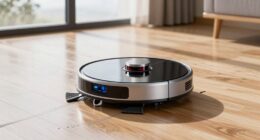
If your Roborock Q10 S5+ robot vacuum isn’t mopping properly, it can be frustrating, especially after investing in high-end features like sonic mopping and auto mop lifting. Mopping problems can stem from various issues, including clogged mop pads, sensor errors, or software glitches. Fortunately, most issues are fixable with some simple troubleshooting steps.

Get cleaning gear delivered free with Prime
- Fast, free delivery on millions of items
- Prime Video, Amazon Music and more included
- Member-only deals all year
In this guide, we’ll walk you through practical, safe, and effective methods to troubleshoot and resolve common problems that cause your Roborock to skip or fail at mopping. Follow these steps carefully to restore your robot’s full cleaning capabilities.
Key Takeaways
| Check the mop pads | Ensure mop pads are clean, properly installed, and not worn out. |
| Verify water tank and sensors | Make sure the water tank is filled and sensors are unobstructed. |
| Update firmware | Keep the robot’s software up-to-date for optimal performance. |
| Inspect for obstacles | Remove any obstacles or tangled hair that could interfere with mopping. |
| Reset and recalibrate | Perform a reset or recalibration if issues persist. |
1. Check and Clean the Mop Pad and Water Tank
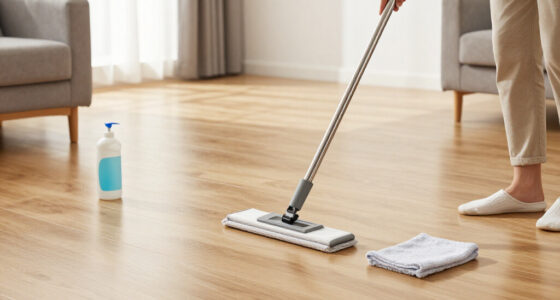
- Remove the mop pad from the robot and inspect it for dirt, hair, or damage. Wash it with warm water and mild detergent if dirty, then let it dry completely before reinstalling.
- Ensure the microfiber mop cloth is properly attached and fully adheres to the mop base. Replace it if worn out or damaged.
- Open the water tank and check for blockages or leaks. Fill it with clean water if empty and make sure the water inlet is clear.
- Confirm the water level is sufficient for your cleaning session; low water can cause ineffective mopping.
2. Verify Sensors and Obstacle Avoidance
Dirty or obstructed sensors can prevent the robot from mopping correctly. Use a soft, dry cloth to gently clean all sensor areas, including the bottom, front, and sides.
Check for any objects blocking the sensor paths or the mop area. Clear debris, hair, or obstacles that might interfere with the robot’s navigation or mopping process.
Ensure the obstacle avoidance system is functioning properly; if necessary, recalibrate sensors via the app or reset the device.
3. Update Firmware and Reset the Device
Outdated firmware can cause software bugs affecting mopping. Open the Roborock app and check for firmware updates. Follow prompts to download and install any available updates.
If issues persist, perform a factory reset of the robot. Navigate to settings in the app, select ‘Reset,’ and follow instructions. This can resolve minor glitches affecting mopping performance.
4. Inspect and Clear the Water and Mop Path
Ensure the path for mopping is clear of hair, dust, or debris that could clog the mop mechanism or interfere with proper contact with the floor.
Check the mop lifting mechanism—if it’s stuck or not engaging, it can prevent mopping from starting. Reset the lift if necessary and verify the mechanical parts are functioning smoothly.
Remember to check the vacuum’s brush system for tangles that may affect overall cleaning performance.
5. Test and Final Adjustments
After completing the above steps, run a test cleaning cycle. Observe whether the robot properly mops the floor and adheres to the designated area.
If the robot still skips mopping, try repositioning it on a different area of the floor or resetting the cleaning map in the app. Confirm all updates are installed and settings are correct.
Consistent issues may require contacting Roborock support or replacing worn-out parts like the mop cloth or filters.
The Products in This Guide

roborock Q10 S5+ Robot Vacuum and Mop
- ✔ Self-Emptying: 70 days of maintenance-free cleaning
- ✔ Suction: 10,000 Pa
- ✔ Water Capacity: 300 ml

4 Pack Washable Filter
- ✔ Compatibility: Multiple Roborock models
- ✔ Washable: Yes
- ✔ Filter Type: HEPA
roborock Q10 S5+ Robot Vacuum and Mop
The Roborock Q10 S5+ offers an impressive combination of powerful suction and advanced mopping features, making it a top choice for busy households. Its self-emptying station and obstacle avoidance enhance its reliability and convenience.
Pros:
- 70 days of maintenance-free cleaning
- 10,000 Pa hyperforce suction
- Sonic mopping with auto mop lifting
- Dual anti-tangle system
Cons:
- Higher price point
- Requires regular filter cleaning
- Complex initial setup
Best for: Large homes and pet owners needing frequent cleaning
Not ideal for: Small spaces or minimal cleaning needs
Bottom line: A versatile robot vacuum combining strong suction and effective mopping for large or busy households.
4 Pack Washable Filter
The 4 Pack Washable Filter set ensures your Roborock remains efficient and clean, reducing the need for frequent replacements and maintaining optimal airflow and filtration.
Pros:
- Compatible with multiple models
- Washable and reusable
- True HEPA filtration
- Easy to install
Cons:
- Not OEM, but performs similarly
- Requires regular cleaning
- Limited to specific models
Best for: Long-term maintenance and cost savings
Not ideal for: Owners of older or incompatible models
Bottom line: An affordable, eco-friendly way to keep your vacuum’s filtration system in top shape.
Frequently Asked Questions
Why isn’t my Roborock mopping?
Common causes include dirty mop pads, blocked water tanks, sensor obstructions, outdated firmware, or mechanical issues with the mop lift. Follow the troubleshooting steps to identify the specific problem.
How often should I clean or replace the mop pads?
It’s recommended to wash reusable mop pads every 1-3 uses, or replace them every 1-3 months for optimal cleaning performance.
Can I manually lift the mop for spot cleaning?
Yes, the Roborock Q10 S5+ features auto mop lifting, but you can also manually lift the mop via the app or during maintenance to prevent water wastage or for spot cleaning.
How do I update the firmware?
Open the Roborock app, connect to your device, and check for firmware updates in the device settings. Follow on-screen prompts to install updates.
What should I do if sensor cleaning doesn’t help?
If sensors are clean and mopping still fails, consider resetting the robot, recalibrating sensors, or contacting Roborock support for further assistance.
Restore Your Roborock’s Mopping Power with These Tips
Proper maintenance and troubleshooting can significantly improve your Roborock Q10 S5+’s mopping performance. Regularly cleaning the mop pads, sensors, and water tank, along with firmware updates and system resets, can resolve most common issues. If problems persist, consulting support or replacing worn parts can help keep your robot operating at its best, ensuring spotless floors every time.
Affiliate disclosure: As an Amazon Associate we earn from qualifying purchases. Prices and availability are accurate as of the time of publishing.
Halloween Picks
halloween
As an affiliate, we earn on qualifying purchases.