If your Dyson V15 Detect™ Origin cordless vacuum is losing battery life quickly, it can be frustrating. This guide provides clear, safe steps to diagnose and fix common issues that cause rapid battery drain, helping you restore optimal cleaning performance.
From checking filters to replacing worn parts, follow these practical instructions to extend your vacuum’s runtime and keep it running smoothly.
Key Takeaways
| Battery health matters | A degraded battery reduces run time significantly. |
| Regular filter maintenance | Clogged filters can cause the motor to work harder, draining the battery. |
| Check for blockages and debris | Obstructions can increase motor load, leading to faster battery depletion. |
| Replace worn filters and parts | Using new filters and components restores efficiency and prolongs battery life. |

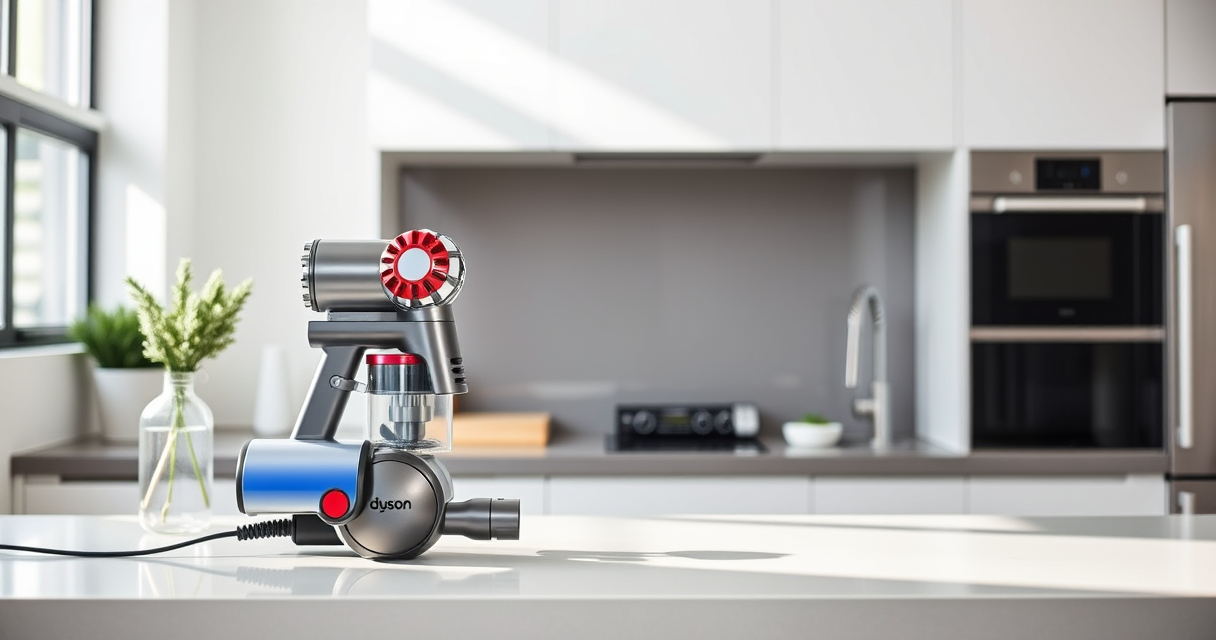
Dyson V15 Detect™ Origin Cordless Vacuum
- Deep cleaning with intelligent detection: Reveals invisible dust for thorough cleaning
- Enhanced power and runtime: 100% more power, 60-minute battery life
- Energy-efficient power trigger: Uses power only when needed
As an affiliate, we earn on qualifying purchases.
Step 1: Inspect and Clean the Filters
- Remove the pre-filters and main filters from your Dyson vacuum.
- Rinse them thoroughly with water until clean. Allow them to air dry completely, which can take 24 hours.
- Reinstall the dry filters properly before use.

LANMU Crevice Tool Vacuum Attachments Compatible with Dyson V15 V12 V11 V10 V9 V8 V7 Gen5 Outsize Vacuum Cleaner, Narrow Nozzel Replacement Parts for Hard-to-Reach Space
- Wide Compatibility: Compatible with various Dyson models
- Slim and Flexible Design: Narrow nozzle for tight spaces
- Versatile Applications: Ideal for home and car cleaning
As an affiliate, we earn on qualifying purchases.
Step 2: Check for Blockages and Debris
- Examine the wand, cleaner heads, and crevice tools for blockages.
- Clear any debris or obstructions with a straightened paperclip or the included crevice tool.
- Ensure all parts are free of dust and buildup to reduce motor strain.
Step 3: Replace Worn or Dirty Filters
If filters are discolored, damaged, or clogged after cleaning, replace them with compatible filters such as the 3Pack Pre Filters or V10 Filters. Regular replacement (every 2-3 months) maintains suction and battery efficiency.
Step 4: Check the Battery Condition
If your vacuum still dies quickly after cleaning filters and clearing blockages, the battery may be degraded. Consider replacing it with an original or compatible replacement battery, or consult Dyson support for a battery health assessment.
Additional Tips & Warnings
- Always power off and unplug your vacuum before performing maintenance.
- Use only compatible replacement filters and parts to avoid damage.
- Avoid letting filters stay wet for extended periods, as this can damage the vacuum.
- If the battery continues to drain fast after these steps, professional servicing may be necessary.
The Products in This Guide

Dyson V15 Detect™ Origin Cordless Vacuum
- ✔ Weight: Approx 6.8 lbs
- ✔ Charge Time: 3.5 hours
- ✔ Run Time: Up to 60 mins

LANMU Crevice Tool Vacuum Attachments Compatible
- ✔ Weight: Less than 1 lb
- ✔ Color: Black/gray
- ✔ Warranty: 1 year
Dyson V15 Detect™ Origin Cordless Vacuum
The Dyson V15 Detect™ Origin offers deep cleaning with intelligent features, but battery health can impact performance. Regular maintenance helps maximize run time.
Pros:
- Powerful suction
- Intelligent debris detection
- Long battery life (60 mins)
- LCD screen for diagnostics
Cons:
- Battery degradation over time
- Filters require regular cleaning or replacement
- Higher price point
Best for: Homeowners seeking deep, efficient cleaning
Not ideal for: Users with very limited storage space or infrequent cleaning needs
Bottom line: Regular filter maintenance and battery checks keep your Dyson performing at its best.
LANMU Crevice Tool Vacuum Attachments Compatible
The LANMU Crevice Tool Attachments are perfect for reaching tight spots and hard-to-access areas, making your Dyson cleaning more effective.
Pros:
- Narrow nozzles for corners
- Compatible with multiple Dyson models
- Flexible and easy to maneuver
- Durable construction
Cons:
- Attachment may require additional storage space
- Not compatible with V6 or canister models
Best for: Cleaning tight corners, upholstery, and car interiors
Not ideal for: Users needing a broad cleaning head for large surfaces
Bottom line: A versatile attachment to reach every corner and crevice.
Frequently Asked Questions
How often should I replace the filters on my Dyson V15?
It is recommended to replace or clean the filters every 2-3 months to maintain optimal suction and battery efficiency.
Can a clogged filter cause my Dyson to lose battery life?
Yes, clogged filters increase motor workload, which can drain the battery faster. Regular cleaning or replacement helps prevent this.
My vacuum still dies quickly after cleaning filters and clearing blockages. What next?
The battery may be degraded. Consider replacing the battery or contacting Dyson support for professional assessment.
Is it safe to wash the filters?
Yes, most Dyson filters are washable. Rinse them thoroughly with water, dry completely, and reassemble before use.
Keep Your Dyson Running Like New
By regularly inspecting filters, clearing blockages, and monitoring the battery condition, you can greatly extend your Dyson V15 Detect™’s runtime and performance. Proper maintenance not only saves money on replacements but also ensures your vacuum continues to deliver powerful, intelligent cleaning for your home.
Affiliate disclosure: As an Amazon Associate we earn from qualifying purchases. Prices and availability are accurate as of the time of publishing.