Maintaining your Dyson V15 Detect™ Origin cordless vacuum is essential for keeping it performing at its best. Proper cleaning, filter replacement, and troubleshooting can extend its lifespan and ensure deep cleaning every time.
In this guide, you’ll find clear, practical steps to maintain your vacuum safely and effectively, plus tips to troubleshoot common issues.
Key Takeaways
| Regular filter cleaning | Keeps suction power high and prolongs filter life. |
| Routine brush and attachment checks | Prevents clogs and hair tangles that reduce cleaning efficiency. |
| Battery and motor inspection | Ensures consistent runtime and prevents overheating. |
| Timely replacement of filters and filters | Maintains high filtration and airflow. |

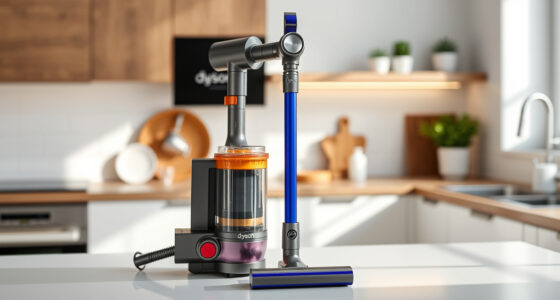
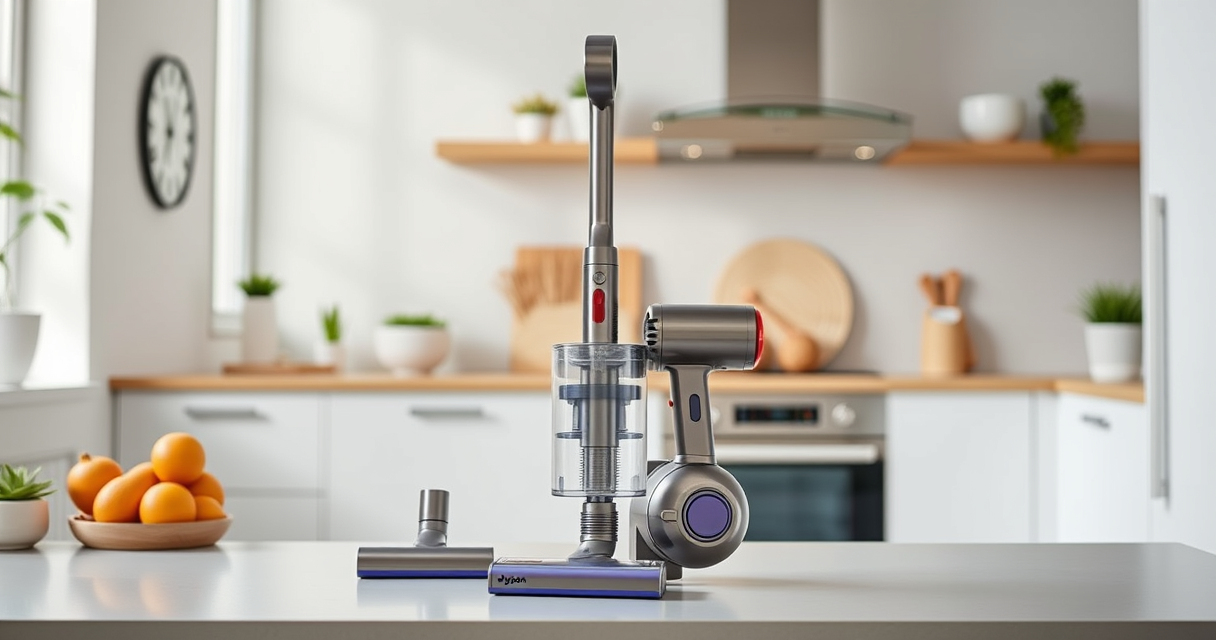
Dyson V15 Detect™ Origin Cordless Vacuum
- Deep cleaning with intelligent detection: Reveals invisible dust for thorough cleaning
- Enhanced power and runtime: 100% more power, 60-minute battery life
- Energy-efficient power trigger: Uses power only when needed
As an affiliate, we earn on qualifying purchases.
Cleaning the Vacuum Exterior and Attachments
- Unplug the vacuum or turn it off and remove the battery if possible.
- Use a damp cloth to wipe the vacuum body and control LCD screen.
- Detach the cleaner heads and crevice tool, then clean with a damp cloth or soft brush.
- Allow all parts to air dry completely before reassembling.

LANMU Crevice Tool Vacuum Attachments Compatible with Dyson V15 V12 V11 V10 V9 V8 V7 Gen5 Outsize Vacuum Cleaner, Narrow Nozzel Replacement Parts for Hard-to-Reach Space
- Wide Compatibility: Compatible with various Dyson models
- Slim and Flexible Design: Narrow nozzle for tight spaces
- Versatile Applications: Ideal for home and car cleaning
As an affiliate, we earn on qualifying purchases.
Cleaning and Replacing Filters
Regular filter maintenance is crucial for optimal suction and filtration. Follow these steps:
- Remove the pre-filters or main filters as specified in your vacuum manual.
- Rinse filters under cold water until clear, avoiding soap or detergents.
- Gently squeeze out excess water and let filters air dry completely—typically 24 hours—before reinstalling.
- Replace filters every 2-3 months or as indicated by your vacuum’s alert system.
Checking and Clearing Clogs
- Turn off and detach the cleaner head and attachments.
- Inspect for blockages in the wand, cleaner head, and filters.
- Use the crevice tool or a similar narrow instrument to clear any debris in tight spots.
- Reassemble after ensuring all parts are clear and dry.
Troubleshooting Common Issues
- Loss of suction: Check filters and clean or replace if dirty. Inspect for blockages.
- Battery not holding charge: Ensure the battery is properly seated. Consider replacing if unable to hold full charge after several cycles.
- LCD screen errors: Follow on-screen prompts, or reset the vacuum by turning it off and on again.
The Products in This Guide

Dyson V15 Detect™ Origin Cordless Vacuum
- ✔ Battery: 60 min runtime
- ✔ Filter Type: Pre & main filters
- ✔ Weight: Approx. 6.8 lbs

LANMU Crevice Tool Vacuum Attachments Compatible
- ✔ Compatibility: Wide Dyson range
- ✔ Material: Plastic
- ✔ Design: Slim and flexible
Dyson V15 Detect™ Origin Cordless Vacuum
<p>The Dyson V15 Detect™ Origin offers powerful suction, intelligent debris detection, and a variety of cleaning heads for versatile use. Regular maintenance ensures it performs at its peak and lasts longer.</p>
Pros:
- Powerful suction
- Smart LCD display
- Long battery life
- Versatile cleaning heads
Cons:
- Filter cleaning required regularly
- Heavier than some handhelds
- Higher price point
Best for: Whole-home deep cleaning, pet hair, and hard-to-reach spots
Not ideal for: Light, quick cleanups or small apartments
Bottom line: A powerful, intelligent cordless vacuum ideal for thorough cleaning needs.
LANMU Crevice Tool Vacuum Attachments Compatible
<p>The LANMU Crevice Tool Vacuum Attachments are compatible with a wide range of Dyson models, including the V15. They help reach tight corners and delicate spots effectively.</p>
Pros:
- Narrow, flexible nozzle
- Easy to attach
- Ideal for corners and edges
- Durable build
Cons:
- Requires manual handling
- Less effective for large debris
- Additional attachments needed for full cleaning
Best for: Cleaning tight corners, car interiors, and detailed spots
Not ideal for: Large debris or heavy-duty cleaning
Bottom line: A versatile attachment to access tricky spots with ease.
Frequently Asked Questions
How often should I clean the filters on my Dyson V15?
It is recommended to rinse the filters every 2-3 months and allow them to air dry completely before reinstalling to maintain optimal suction.
What should I do if my vacuum loses suction?
Check and clean the filters, clear any blockages in the wand or cleaner head, and ensure all parts are properly assembled.
Can I use third-party filters with my Dyson V15?
It’s best to use Dyson-approved filters to ensure compatibility and maintain performance. Using non-approved filters may affect suction and filtration.
How do I troubleshoot LCD error messages?
Follow the on-screen prompts, reset the vacuum by turning it off and on, or consult the user manual for specific error codes.
Keep Your Dyson V15 Detect™ in Top Shape
Regular maintenance, including cleaning filters, checking for blockages, and timely replacement of parts, will ensure your Dyson cordless vacuum continues to deliver powerful, efficient cleaning. Staying proactive with troubleshooting can prevent bigger issues and extend the lifespan of your device.
Affiliate disclosure: As an Amazon Associate we earn from qualifying purchases. Prices and availability are accurate as of the time of publishing.