

Get cleaning gear delivered free — and shop member deals
- Fast, free delivery on millions of items
- Access to Prime Big Deal Days deals on October 6–7
- Prime Video, Amazon Music and more included
Key Takeaways
| Battery Age | Older batteries tend to lose capacity over time. |
| Clogged Filters | Dirty filters reduce suction and drain the battery faster. |
| Worn Out Parts | Old or damaged filters and components impact runtime. |
| Overuse & Settings | High power modes and continuous use deplete the battery quickly. |
| Maintenance | Regular cleaning and filter replacement extend battery life. |
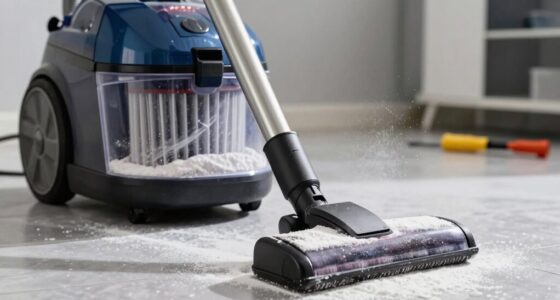
Step 1: Check and Clean Filters
- Remove the pre-filters and main filters from the vacuum according to the user manual.
- Rinse the filters with cool water and gently squeeze out excess water.
- Allow filters to air dry completely for at least 24 hours before reinstalling.
- Reattach filters securely and test the vacuum’s runtime.
Step 2: Inspect the Battery and Charging Equipment
- Ensure the charger and power outlet are functioning properly by testing with another device.
- Check for any visible damage or corrosion on the charging port and cable.
- Allow the vacuum to fully charge uninterrupted for at least 3-4 hours.
- If the battery still drains quickly, consider replacing it after troubleshooting other causes.
Step 3: Replace Worn or Faulty Filters
Filters like the 3Pack Pre Filters or V10 Replacement filters should be replaced every 2-3 months for optimal performance. Use compatible replacements to restore suction and efficiency.
Step 4: Reset and Test Power Modes
Switch between power modes (if available) and observe whether the battery drains faster in higher settings. Reset the vacuum’s system via the LCD screen or power button if applicable. Monitor to see if runtime improves after adjustments.
Additional Tips and Warnings
- Avoid overusing high power modes continuously to prevent unnecessary battery drain.
- Regularly clean and replace filters to maintain efficiency.
- Never attempt to open the battery compartment yourself; seek professional help if needed.
- Using original or compatible replacement parts ensures safety and longevity.
The Products in This Guide

Dyson V15 Detect™ Origin Cordless Vacuum
- ✔ Run Time: 60 mins
- ✔ Charge Time: 3-4 hours
- ✔ Weight: Lightweight and maneuverable

LANMU Crevice Tool Vacuum Attachments Compatible
- ✔ Length: 12 inches
- ✔ Material: Plastic
- ✔ Compatibility: Multiple Dyson models
Dyson V15 Detect™ Origin Cordless Vacuum
The Dyson V15 Detect™ Origin offers powerful, intelligent cleaning, revealing invisible dust and adapting power based on debris. It provides up to 60 minutes of runtime and features advanced cleaners for all floor types. Regular maintenance, including filter replacement, helps sustain its battery life.
Pros:
- Powerful and intelligent cleaning
- Long runtime of 60 minutes
- LCD screen for real-time info
- Multiple cleaning heads included
Cons:
- Battery aging over time
- Filters require regular replacement
- Higher price point
Best for: Deep whole-home cleaning and pet hair removal
Not ideal for: Budget-conscious buyers or short-term users
Bottom line: The Dyson V15 Detect™ Origin delivers powerful cleaning with smart features, but regular maintenance keeps the battery lasting longer.
LANMU Crevice Tool Vacuum Attachments Compatible
The LANMU Crevice Tool Vacuum Attachments easily connect to your Dyson V15 for reaching tight spots and corners. Its narrow nozzle design helps eliminate dust in hard-to-reach areas like baseboards and car interiors.
Pros:
- Narrow, flexible nozzle
- Compatible with multiple Dyson models
- Easy to attach and clean
- Great for detailed cleaning
Cons:
- May not fit older Dyson models
- Limited to crevice cleaning
- Requires cleaning for best performance
Best for: Detail cleaning of edges, corners, and tight spaces
Not ideal for: General floor cleaning or large debris
Bottom line: This crevice tool enhances your Dyson’s reach and cleaning precision in tight spots.
Frequently Asked Questions
Why is my Dyson battery draining so fast?
Common causes include dirty filters, battery age, high power mode usage, or a faulty battery. Follow the troubleshooting steps to identify the issue.
How often should I replace the filters?
Filters like the 3Pack Pre Filters or V10 filters should be replaced every 2-3 months depending on usage to maintain optimal performance.
Can I replace the battery myself?
Replacing the battery involves opening the vacuum, which is not recommended unless you have proper skills. Contact Dyson support or a professional technician for battery replacement.
What should I do if my vacuum still runs out of power quickly after cleaning filters?
If cleaning filters doesn’t help, the battery may be aging or faulty. Consider replacing the battery or consulting a professional for further diagnosis.
Keep Your Dyson V15 Running at Peak Performance
Regular maintenance, including cleaning filters and ensuring proper charging, is key to prolonging your Dyson V15 Detect™ Origin’s battery life. If issues persist despite troubleshooting, professional replacement of the battery or parts may be necessary. With proper care, your Dyson will continue to deliver powerful, efficient cleaning for years to come.
Affiliate disclosure: As an Amazon Associate we earn from qualifying purchases. Prices and availability are accurate as of the time of publishing.
Halloween Picks
halloween
As an affiliate, we earn on qualifying purchases.