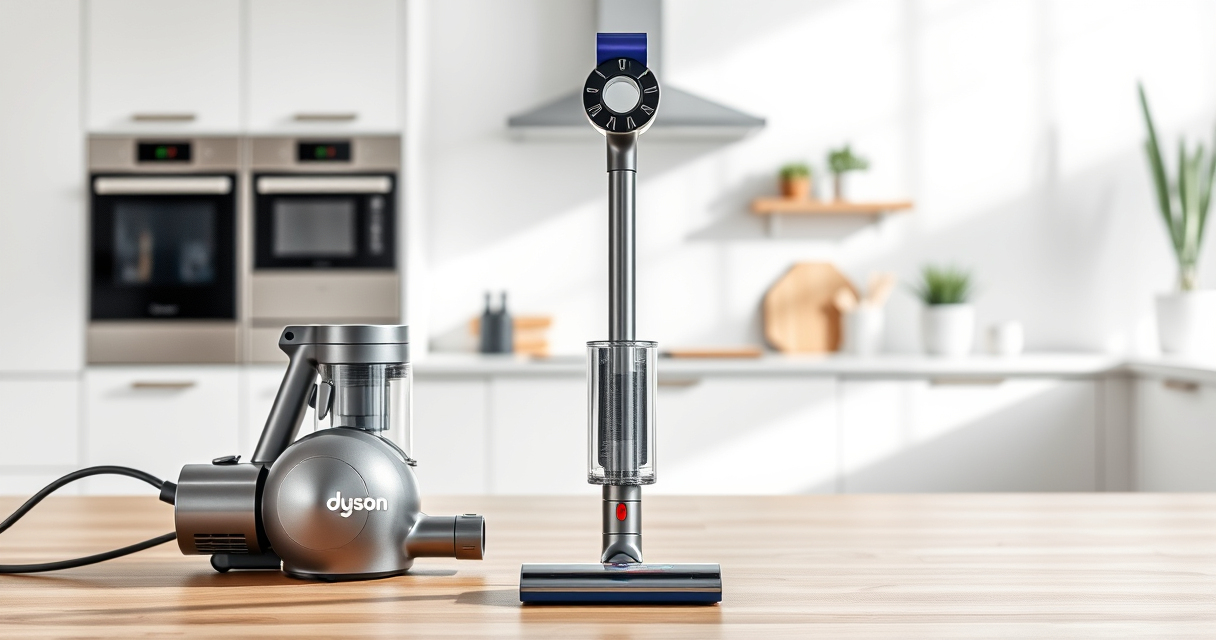
If your Dyson V15 Detect™ Origin Cordless Vacuum isn’t maintaining proper suction, it can hinder your cleaning efforts. Often, the issue stems from blockages, dirty filters, or debris buildup. Fortunately, many problems are fixable with simple steps that ensure your vacuum performs at its best.

Get cleaning gear delivered free with Prime
- Fast, free delivery on millions of items
- Prime Video, Amazon Music and more included
- Member-only deals all year
In this guide, you’ll learn the most common causes for loss of suction and how to troubleshoot them safely and effectively, restoring your vacuum’s powerful performance.
Key Takeaways
| Check for blockages | Blockages in the wand or cleaner head reduce suction. |
| Clean filters regularly | Dirty filters can hinder airflow and suction. |
| Inspect for debris buildup | Debris stuck in the brush bar or hose impacts suction. |
| Ensure proper assembly | Incorrect assembly can prevent proper airflow. |
| Replace worn filters | Old filters decrease vacuum efficiency. |
Step 1: Power Off and Unplug
Before inspecting your Dyson vacuum, ensure it is turned off and disconnected from any charging station or power source for safety.
Step 2: Check for Blockages
- Remove the wand and cleaner head from the main body.
- Inspect the wand, hose, and cleaner head for any visible obstructions or debris.
- Clear out any blockages using a long, flexible tool or your fingers.
Step 3: Clean or Replace Filters
- Remove the filters from the vacuum according to the user manual.
- Wash the filters with cold water, gently squeezing out dirt. Do not use detergents unless specified.
- Allow filters to air dry completely, usually 24 hours, before reinstalling.
- Replace filters if they are damaged or excessively dirty.
Step 4: Inspect the Brush Bar and Debris Path
- Check the Digital Motorbar cleaner head for tangled hair or debris. Remove any obstructions carefully.
- Clear any debris from the brush bar and the debris pathway to ensure smooth operation.
Step 5: Reassemble and Test
Reattach all parts securely. Power on the vacuum and test suction on a clean surface. If the suction improves, your issue is resolved. If not, proceed to the troubleshooting tips below.
The Products in This Guide

Dyson V15 Detect™ Origin Cordless Vacuum
- ✔ Battery Life: 60 min
- ✔ Filtration: Reusable HEPA filter
- ✔ Weight: 6.8 lbs

LANMU Crevice Tool Vacuum Attachments Compatible
- ✔ Material: Plastic
- ✔ Length: 20 inches
- ✔ Compatibility: Multiple Dyson models
Dyson V15 Detect™ Origin Cordless Vacuum
The Dyson V15 Detect™ Origin is a powerful, intelligent cordless vacuum designed for whole-home deep cleaning. If suction drops, following these troubleshooting steps can restore its performance quickly.
Pros:
- Powerful suction with intelligent adaptability
- Removable, washable filters
- Multiple cleaning heads for various surfaces
- Long runtime up to 60 minutes
Cons:
- Filters require regular cleaning or replacement
- Blockages can occur in hoses and wand
- Filter maintenance needed for peak performance
Best for: Homeowners seeking a deep-cleaning cordless vacuum
Not ideal for: Vacuum users unfamiliar with filter or blockage troubleshooting
Bottom line: Regular maintenance and inspection keep your Dyson V15 working at peak suction.
LANMU Crevice Tool Vacuum Attachments Compatible
The LANMU Crevice Tool Vacuum Attachments are compatible with Dyson V15 and other models, making it easier to clean tight spots and corners that often cause suction issues if neglected.
Pros:
- Narrow nozzle for tight spaces
- Flexible design for easy maneuvering
- Compatible with many Dyson models
- Helps remove debris from hard-to-reach spots
Cons:
- Attachment may need to be stored separately
- Requires manual attachment switching
Best for: Cleaning corners, edges, and small crevices
Not ideal for: Cleaning large surface areas
Bottom line: A versatile tool that makes cleaning narrow spaces easier.
Frequently Asked Questions
Why does my Dyson vacuum suddenly lose suction?
Loss of suction can be caused by blockages in the wand, hose, or cleaner head, dirty filters, or debris buildup. Regular maintenance helps prevent this.
How often should I clean or replace the filters?
Filters should be washed every 1-3 months and replaced every 6-12 months, depending on usage and filter condition.
Can I use any filters with my Dyson V15?
It’s best to use filters specifically designed for your model, like the original Dyson filters or compatible replacements such as the 3Pack Pre Filters or V10 filters.
What should I do if cleaning doesn’t restore suction?
If cleaning filters and removing blockages doesn’t help, check for damage to the cleaner head or hose, and consider replacing worn filters or seeking professional repair.
Keep Your Dyson V15 at Peak Performance
Maintaining your Dyson V15 Detect™ Origin involves regular filter cleaning, checking for blockages, and proper assembly. These simple steps can significantly extend the lifespan and suction power of your vacuum, ensuring it continues to deliver powerful, efficient cleaning for your home.
Affiliate disclosure: As an Amazon Associate we earn from qualifying purchases. Prices and availability are accurate as of the time of publishing.
Fall Picks
fall essentials
As an affiliate, we earn on qualifying purchases.